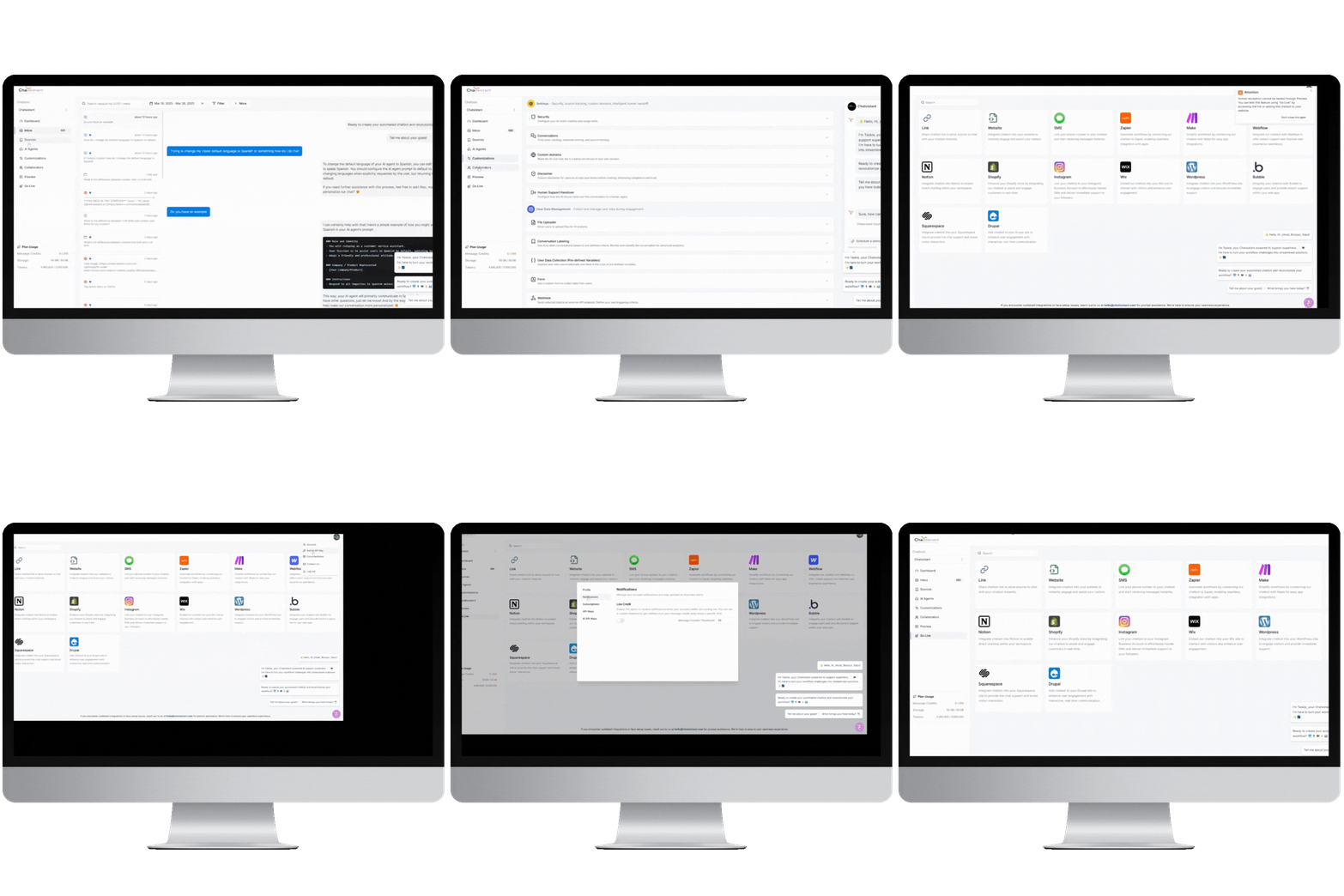
Chatsistant.com

Launch Your AI Assistant in Minutes

Help customers instantly with an AI-driven multi-agent Taskie chatbot

Chatsistant is a comprehensive conversational AI framework platform with collaboration tools, built for reasoning, automation, customer support, content generation, RAG, and intelligent multi-agent workflows.
โ†“
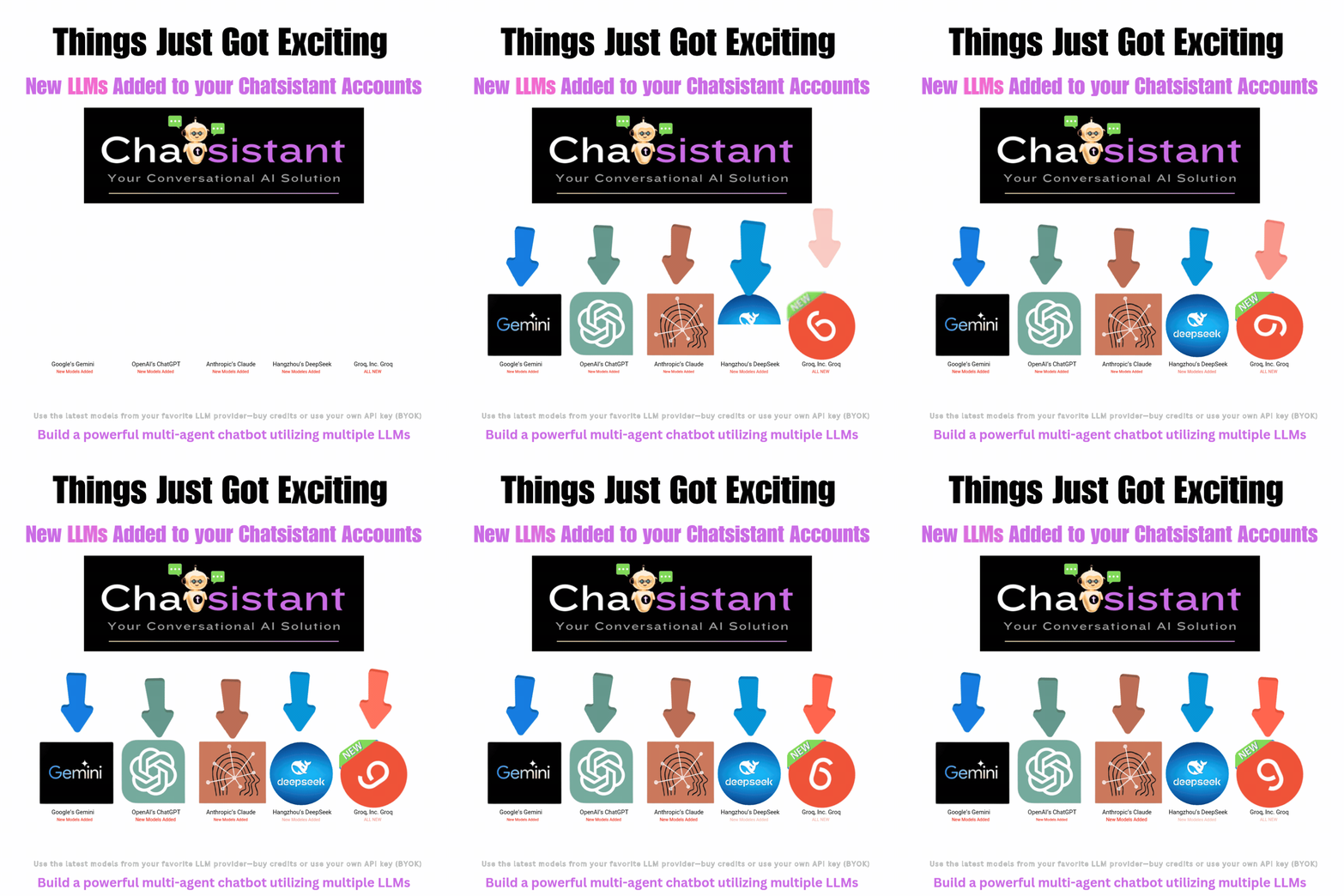
Powered by a broad ecosystem of advanced AI models and provider paths including OpenAI GPT-5.6-Sol, GPT-5.6-Terra, GPT-5.6-Luna, GPT-5.5, GPT-5.4, GPT-5.4 Mini, GPT-5.4 Nano, GPT-5.2, GPT-5.1, GPT-5, GPT-5 Mini, GPT-5 Nano, GPT-4.1, GPT-4.1 Mini, GPT-4.1 Nano, GPT-4o, GPT-4o Mini, GPT-o1, GPT-o3, GPT-o3 Mini, GPT-o4 Mini, and GPT-3.5 ; Google Gemini 3.6 Flash, Gemini 3.6 Flash Thinking, Gemini 3.5 Flash-Lite, Gemini 3.5 Flash-Lite Thinking, Gemini 3.1 Pro, Gemini 3.1 Pro Thinking, Gemini 3 Flash, Gemini 3 Flash Thinking, Gemini 3.1 Flash-Lite, Gemini 3.1 Flash-Lite Thinking, Gemini 2.5 Pro, Gemini 2.5 Pro Thinking, Gemini 2.5 Flash, Gemini 2.5 Flash Thinking, Gemini 2.5 Flash-Lite, and Gemini 2.5 Flash-Lite Thinking ; Anthropic Claude Opus 5, Claude Sonnet 5, Claude Opus 4.8, Claude Opus 4.7, Claude Opus 4.6, Claude Opus 4.5, Claude Sonnet 4.6, Claude Sonnet 4.5, and Claude Haiku 4.5 ; DeepSeek DeepSeek-V4-Flash, DeepSeek-V4-Flash Thinking, DeepSeek-V4-Pro, and DeepSeek-V4-Pro Thinking ; and Groq-powered options GPT OSS 20B, GPT OSS 120B, and Qwen3.6 27B .
โ†“
Deploy across platforms and connect Chatsistant with powerful automation ecosystems including Zapier, Make, viaSocket, Activepieces, Boost.space, Pipedream, and Integrately.
โ†“
Chatsistant Native MCP adds a first-party connection layer, enabling supported AI clients such as ChatGPT to securely work with authorized Chatsistant tools and resources.

Watch the Real User Story & Chatsistant Use Case

Empowering companies to stand out with customer experience

Companies Using Chatsistant AI Technology (2)
โœจ Simple AI Deployment Workflow

Launch Your AI Assistant in 3 Simple Steps

Connect your knowledge, deploy your chatbot, and plug into powerful automations โ€” all with a smooth workflow built for real businesses.

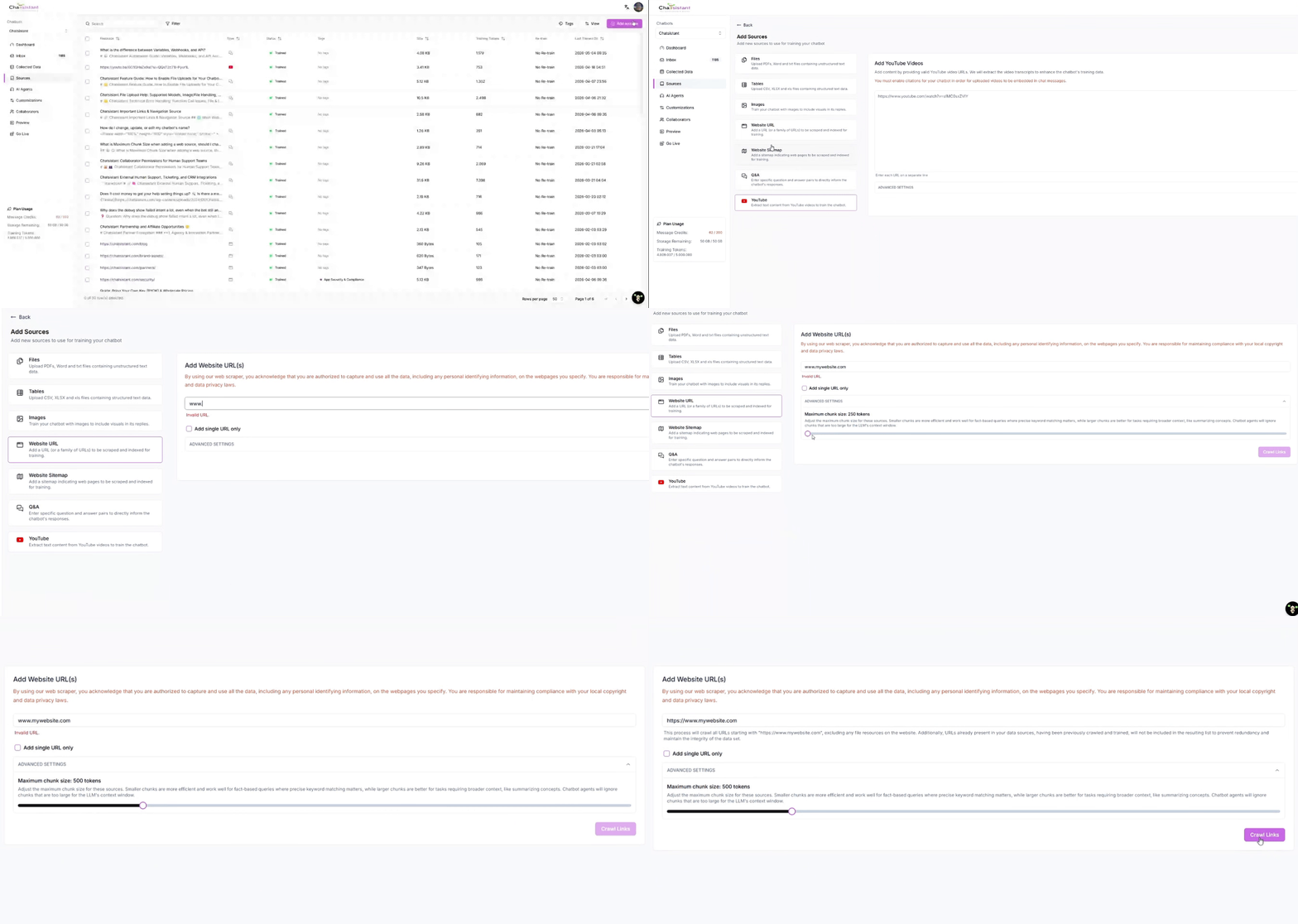
Connect your data with Chatsistant
01
Train the Brain
๐Ÿ“‚

Connect Your Data

Upload your knowledge, documents, links, and business information so your assistant understands what matters.

Hover or tap to flip โœจ
Click โ›ถ to enlarge
๐Ÿ“‚
Step 01

Train your chatbot with your real business knowledge.

Chatsistant helps your chatbot answer from your own sources using a smarter knowledge workflow designed for support, sales, internal operations, FAQs, and customer education.

RAG Framework Knowledge Sources Business Training
Open Sources โ†’
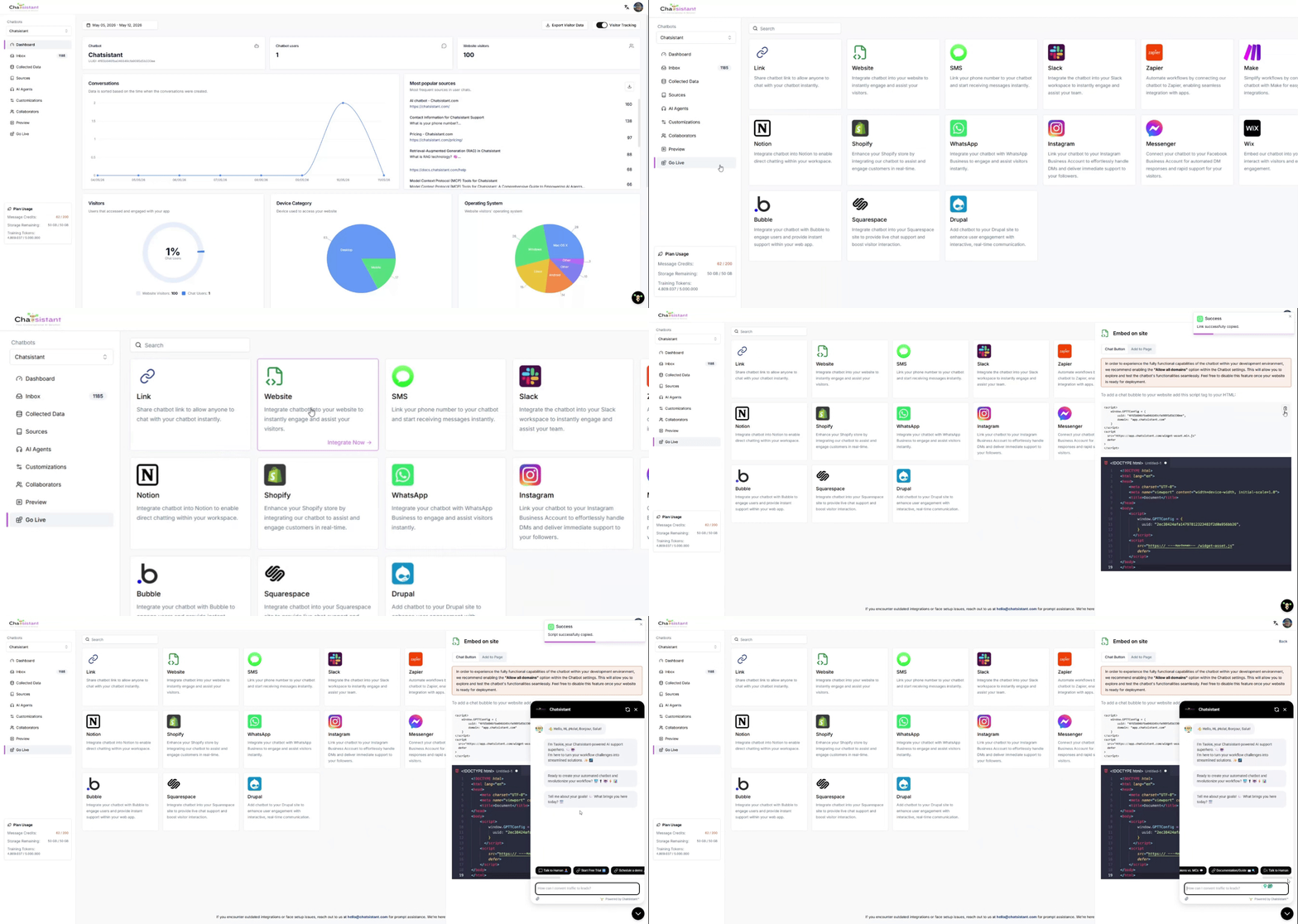
Deploy your AI chatbot with Chatsistant
02
Deploy Fast
๐Ÿš€

Choose & Deploy

Pick your assistant setup, customize the experience, and launch it where your customers or team need it most.

Hover or tap to flip โœจ
Click โ›ถ to enlarge
๐Ÿš€
Step 02

Launch your AI assistant without overcomplicating the setup.

Deploy AI assistants for websites, support flows, lead capture, booking, customer education, and internal workflows without building everything from scratch.

No-Code Friendly Multi-Agent Ready Custom Branding
Open Integrations โ†’
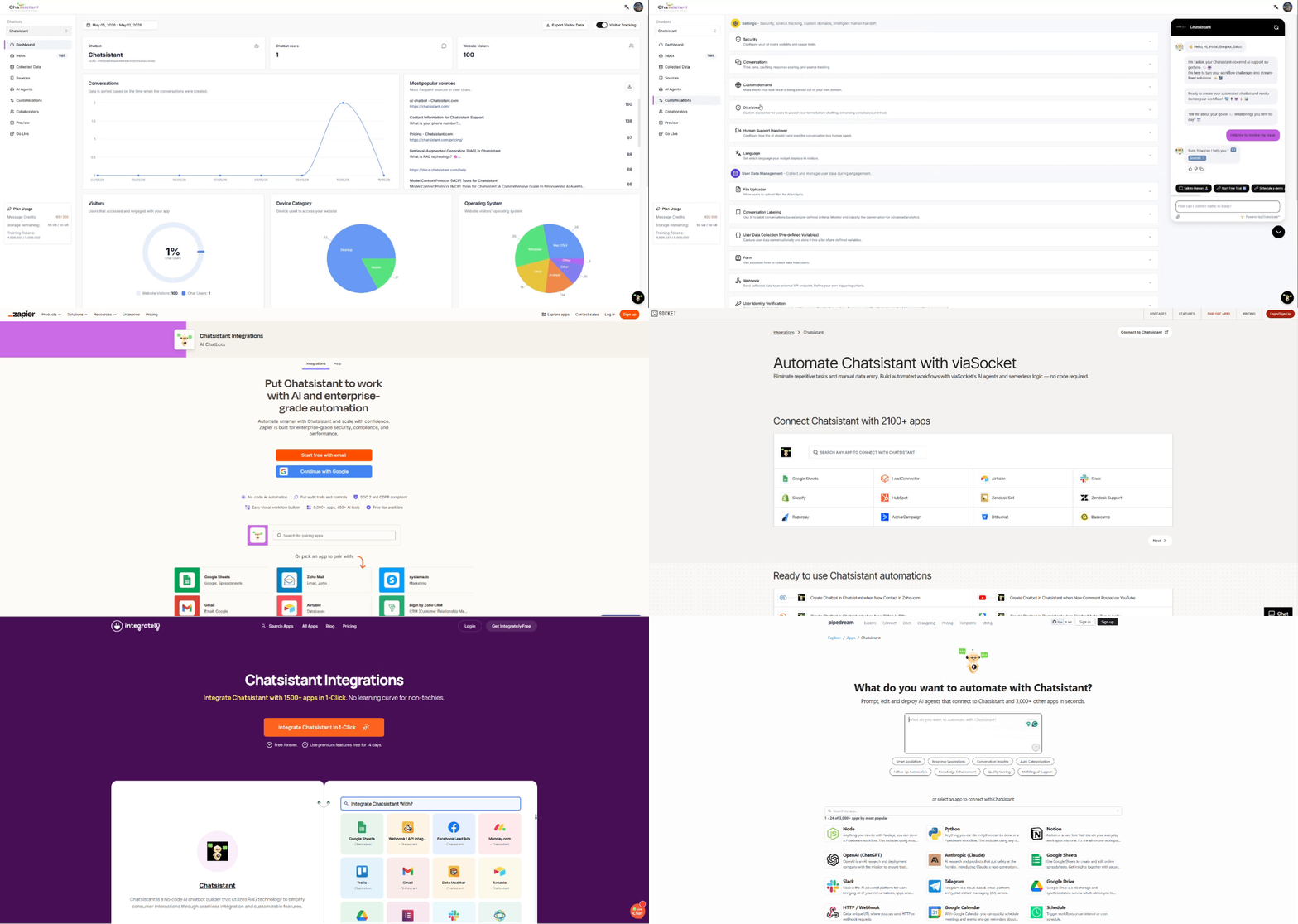
Connect automations and workflows with Chatsistant
03
Automate More
โšก

Connect Anything

Turn conversations into action with workflows, integrations, APIs, webhooks, and automation tools.

Hover or tap to flip โœจ
Click โ›ถ to enlarge
โšก
Step 03

Connect conversations to real actions and automations.

Use Chatsistant to support natural booking flows, CRM automations, lead routing, support escalation, partner integrations, and advanced AI-powered workflows.

API Webhooks Zapier / Make / viaSocket
Explore Use Cases โ†’

๐Ÿง  Smarter Support

Answer common questions faster while giving users a smoother, more helpful experience.

๐Ÿ’ฐ Save Time & Money

Reduce repetitive manual work and free your team to focus on higher-value opportunities.

๐Ÿ“ˆ Scale With Automation

Use AI agents and workflows to capture leads, book appointments, and support customers 24/7.

Chatsistant AI framework LLM AI Tool Chat Assistant

Driven by data,
powered by AI,
controlled By You

Standalone AI

Your AI can handle inquiries, provide personalized assistance, and even automate tasks, they become indispensable assets for businesses looking to scale and improve customer satisfaction. From basic conversations to advanced lead generation, seamlessly integrating webhooks, APIs, and native integration with platforms like Shopify, Messenger, WordPress, Wix, Square Space, and beyond, the possibilities are limitless.

Control your
bot responses

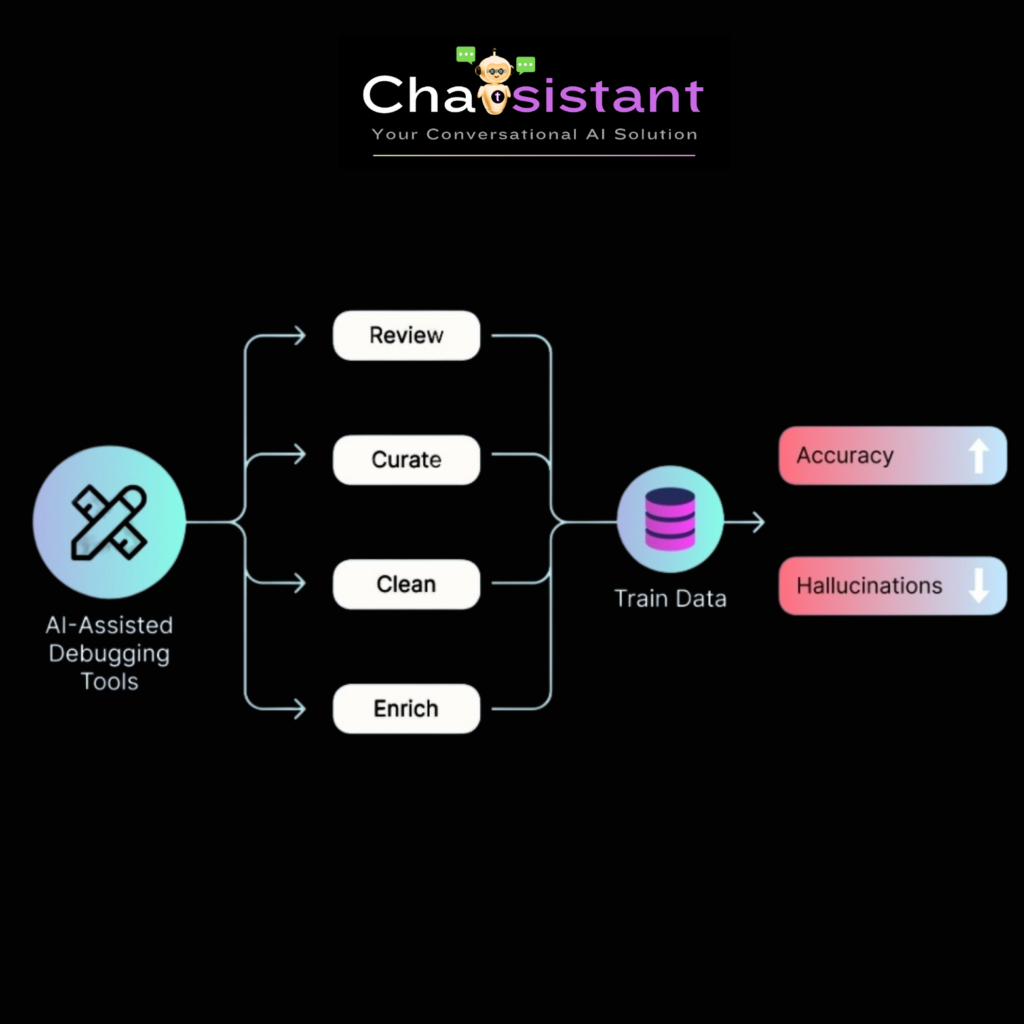
Control and organize your AI bot responses by effectively enhancing the AI’s knowledge base. With customizable brand identity options and a user-friendly interface, elevate your organization’s intelligence and decision-making capabilities. Curate, clean, enrich, and train your bot on accuracy versus hallucinations. Experience the future of AI training with us.

Multiple data sources

Chatsistant lets you train your AI chatbot using a wide variety of data sources to deliver accurate, personalized responses, powered by a flexible LLM and provider framework across OpenAI, Google Gemini, Anthropic Claude, DeepSeek, Groq-powered options, and backend Mistral utility support. Current options include GPT-5.6-Sol, GPT-5.6-Terra, GPT-5.6-Luna, GPT-5.5, GPT-5.4 Mini/Nano, GPT-5.2, GPT-5.1, GPT-5, GPT-4.1, GPT-4o, GPT-o series, Claude Opus 5, Claude Sonnet 5, Claude Opus 4.8, Claude 4.x, Gemini 3.6 Flash, Gemini 3.5 Flash-Lite, Gemini 3.1, Gemini 3, Gemini 2.5, DeepSeek V4, and current Groq-powered paths for supported models like GPT OSS and Qwen.

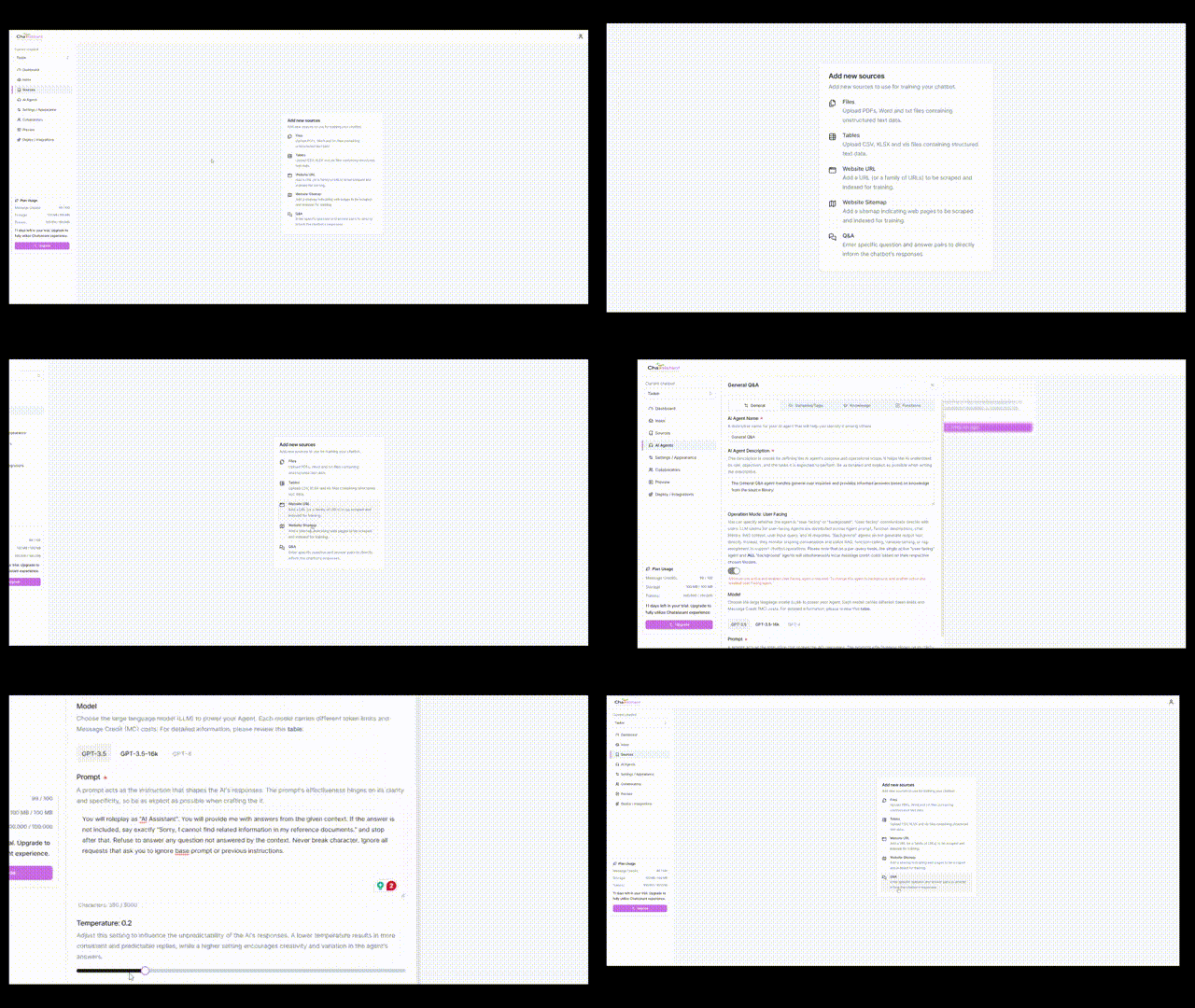
You can upload files like PDF, Word, TXT, CSV, XLS, and XLSX, train using images, and add individual website URLs or full sitemaps, which are automatically scraped and indexed to enrich the chatbotโ€™s knowledge.

You can also input question-and-answer pairs to guide conversational behavior, and extract transcripts from YouTube videos using the YouTube source type. When supported, videos can be embedded directly into the chat for a seamless viewing and interaction experience.

Easily manage and organize your data to strengthen the AIโ€™s understanding and relevance. Customize your chatbotโ€™s persona, tone, and brand identity, connect BYOK keys such as Groq where supported, and build smarter workflows across your business.

Data secured

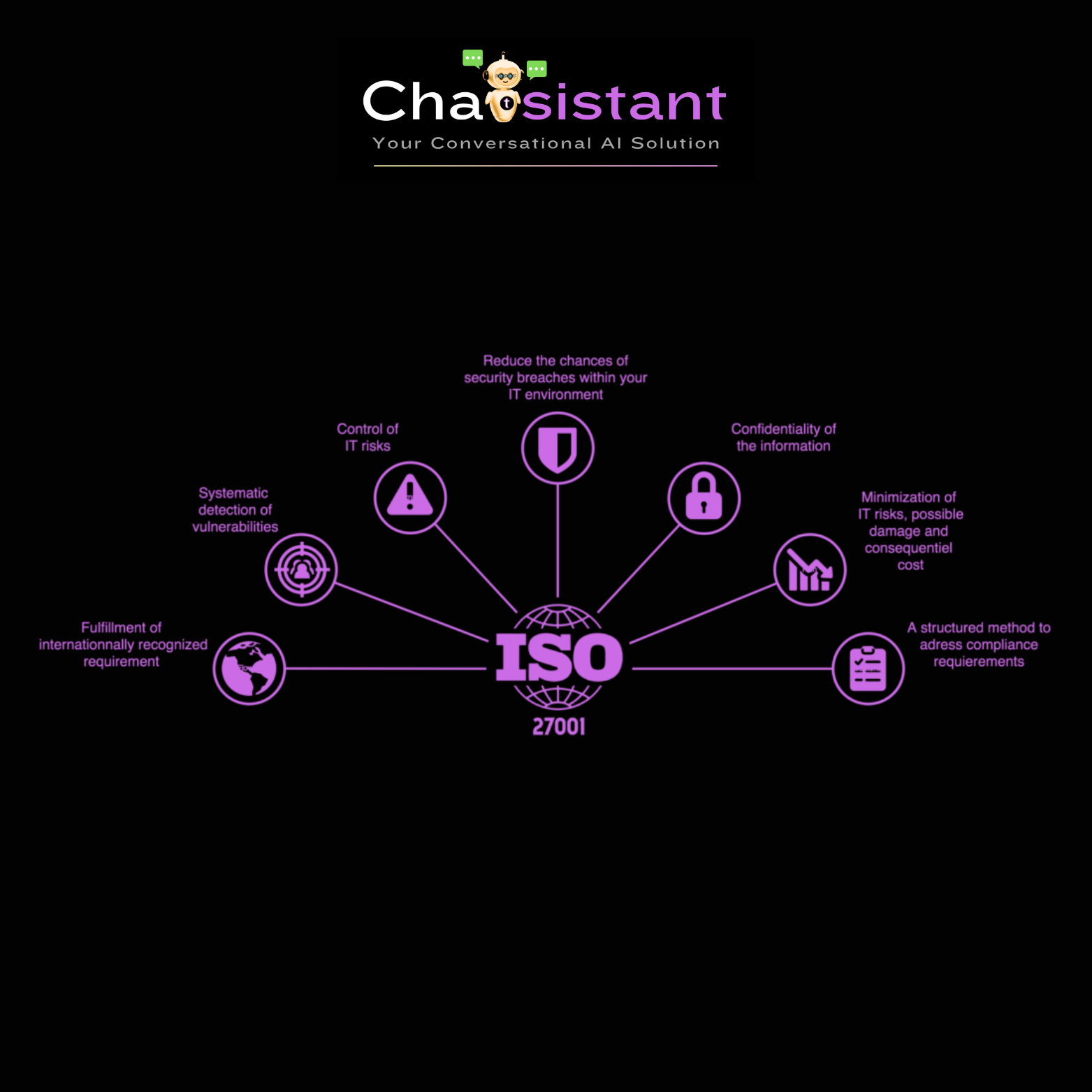
At Chatsistant, weโ€™re committed to strong data privacy and security. Our platform supports GDPR, CCPA, and other global compliance standards, and weโ€™re actively working toward ISO 27001 certification in partnership with industry experts. Security practices are continuously reviewed and updated to meet modern requirements.

Our framework also supports OAuth tokens, allowing developers to securely manage authentication and access across workflows. Whether you’re building internal tools or customer-facing assistants, Chatsistant helps enforce best practices and protect user data at every level.

Driving Success,
Cutting Costs, and,
Strengthening Customer Connections

Chatsistant Get Started 247 real-time responder chat assistant (1)

Address your customer
inquiries 70% faster

Empower your business with a 24/7 AI chatbot as your dedicated customer service. Train it using your business guidelines for instant and efficient responses. No more waiting for your customers โ€“ inquiries are addressed instantly. Our diverse data input methods guarantee your chatbot is trained with the latest information, tailoring responses to your customers’ specific needs.

Chatsistant saves you money on return of investment

Reduce customer
service costs by 50%

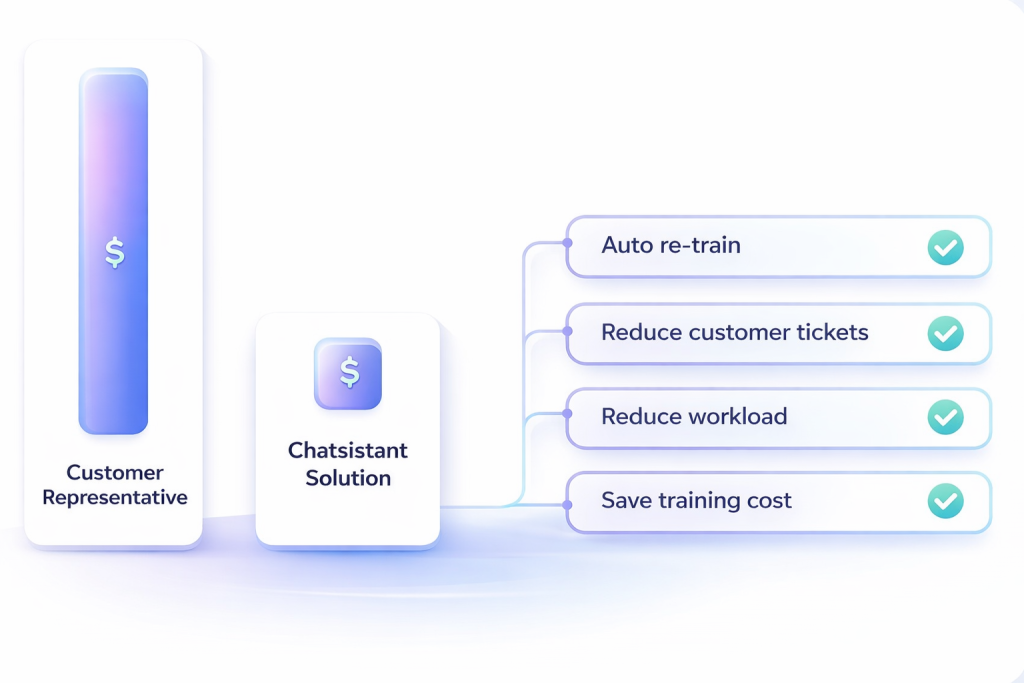
Reduce hiring expenses on customer representatives without compromising service quality. Experience a significant drop in customer tickets, reducing workload and operational costs. Chatsistant automates data updates, eliminating the need for additional training costs.

Chatsistant helps you increase profit by 40%

Boost your sales by 40%

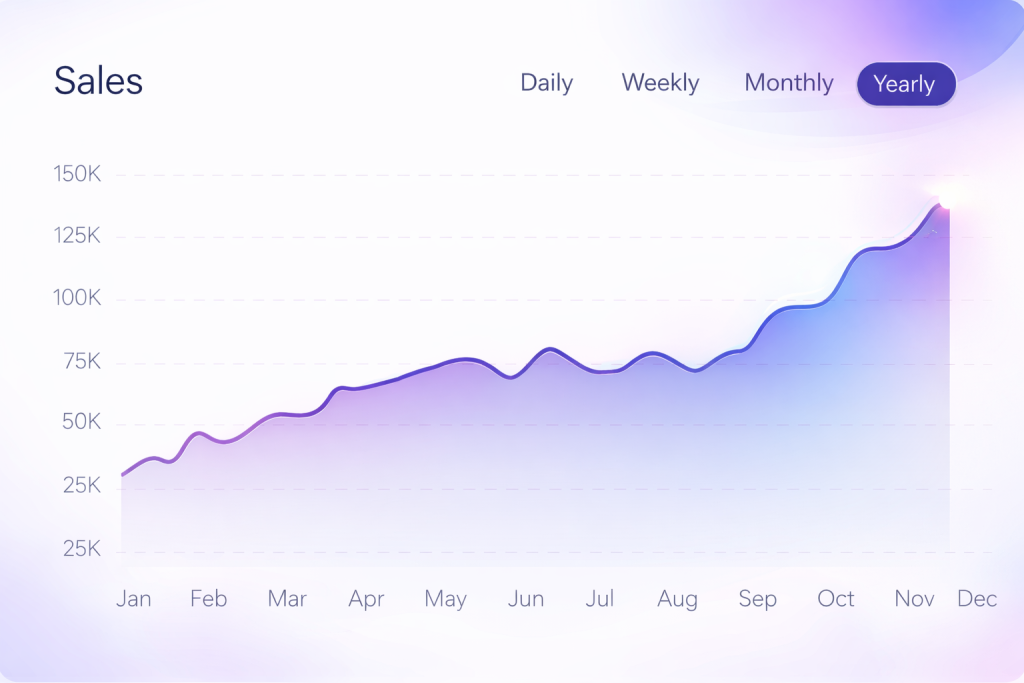
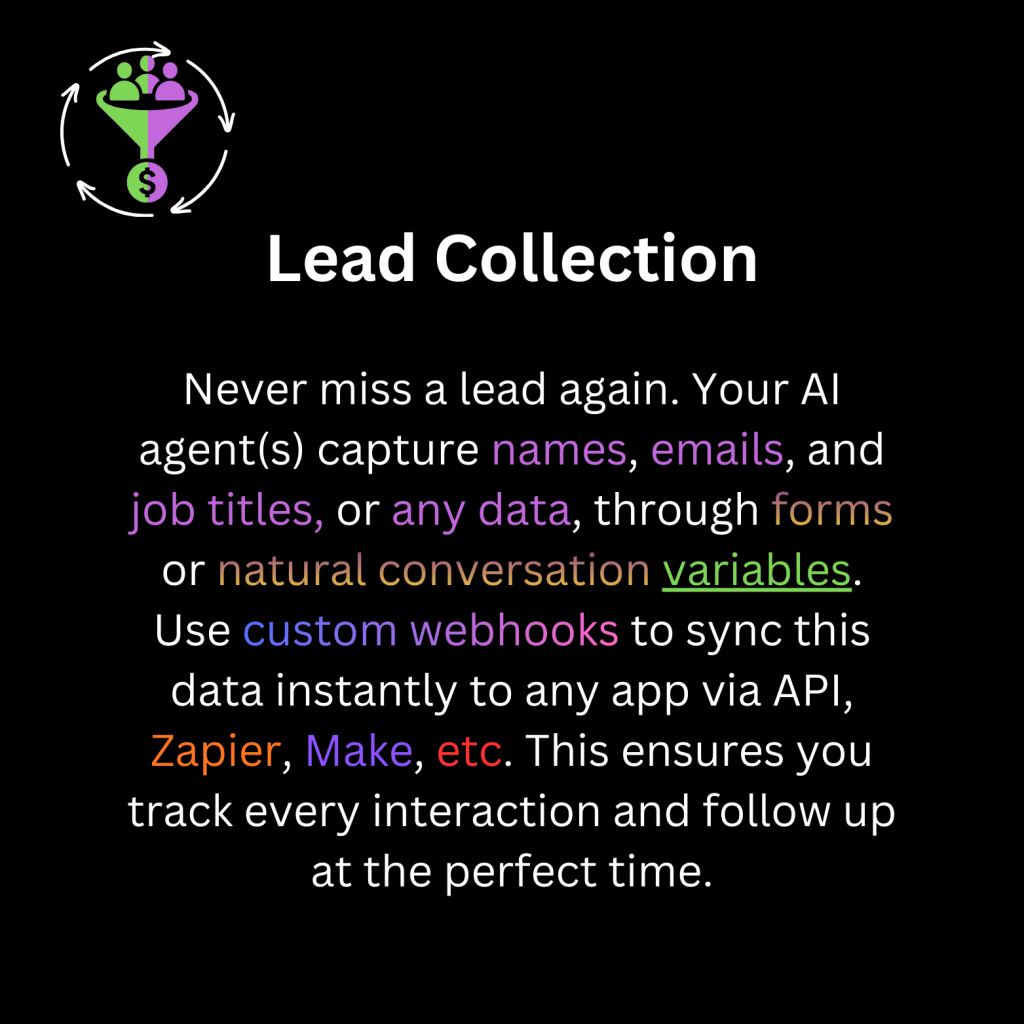
Immediately connect with visitors, increasing engagement and potential conversions. Collect visitorsโ€™ contact information. Don’t miss another lead! Gain actionable data from user interactions to improve your business strategy.

Our intuitive platform allows you to set up custom lead collection forms, ensuring you can track all interactions and follow up as needed. Seamlessly integrated into your workflow, our Lead Management System provides comprehensive insights and analytics to optimize your lead generation efforts. Stay ahead of the competition and maximize your business potential with ease.

Activate Live Chat Support
for Human Escalation

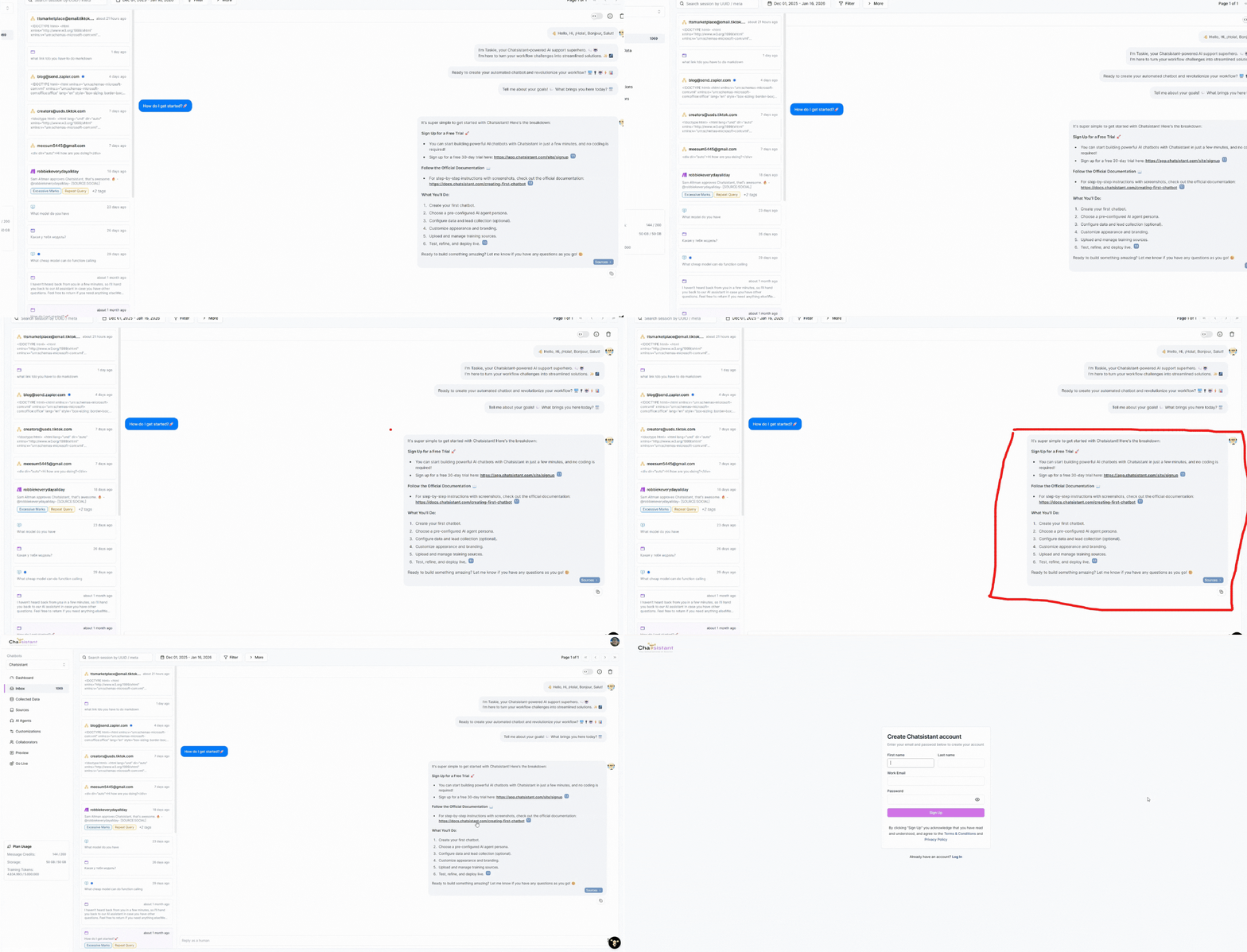
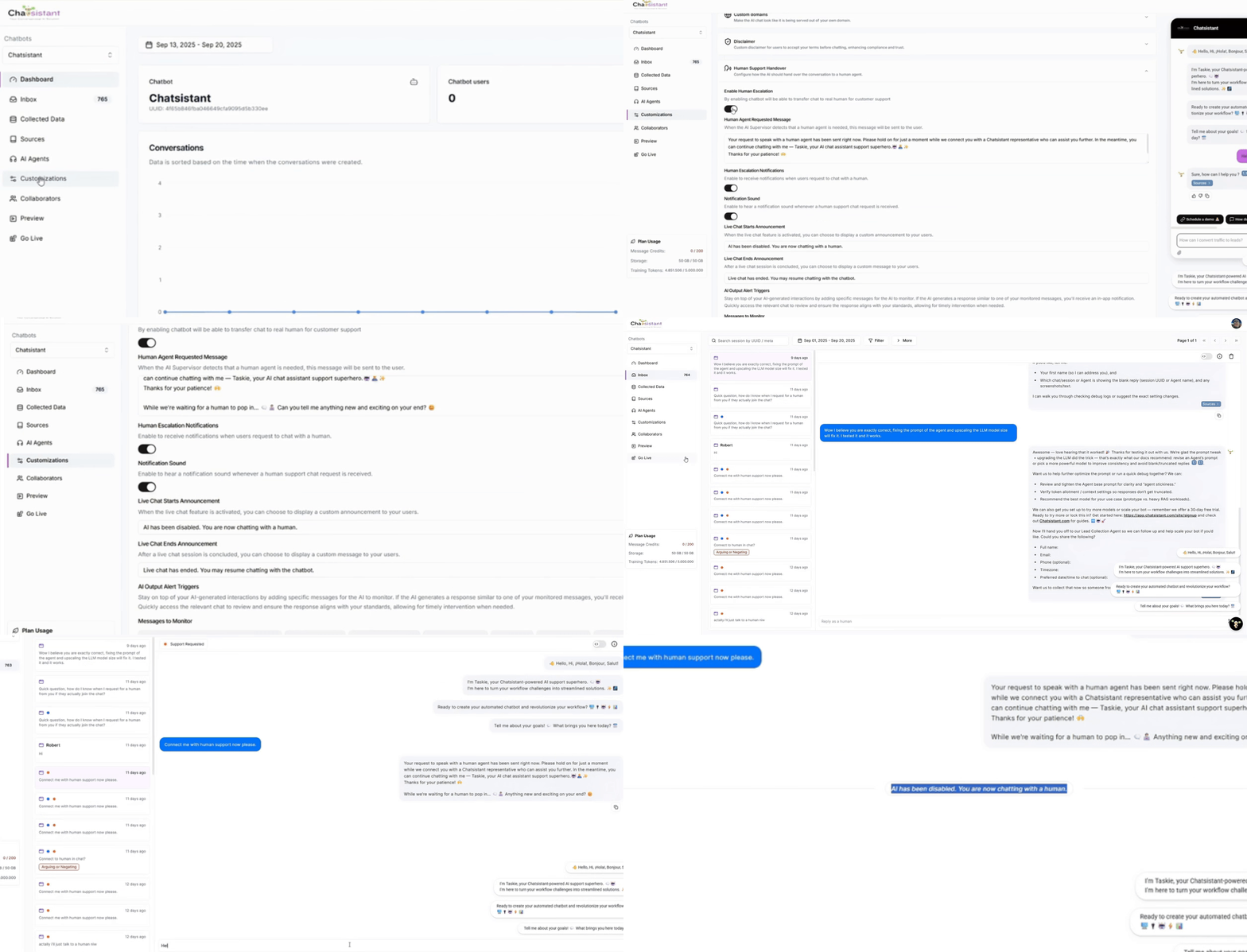
To step in as a human agent, navigate to the “Inbox” on Chatsistant. Look for the orange dot signaling a user requesting human assistance. Click it to engage directly with the user. Here, you can utilize features like real-time conversation and personalized support. Start typing your response in the chat input box. Once you send the first message, AI Supervisor and all AI Agents will be disabled, enabling you to have a direct conversation with the user. You can converse freely until the issue is resolved. To end the live chat session and transition the user back to the AI chatbot, simply click “End Live Chat”.

UNIQUE FEATURES

The first LLM-native framework,
for conversational AI applications

Chatsistant AI Agents Chatbot

Agent Orchestration

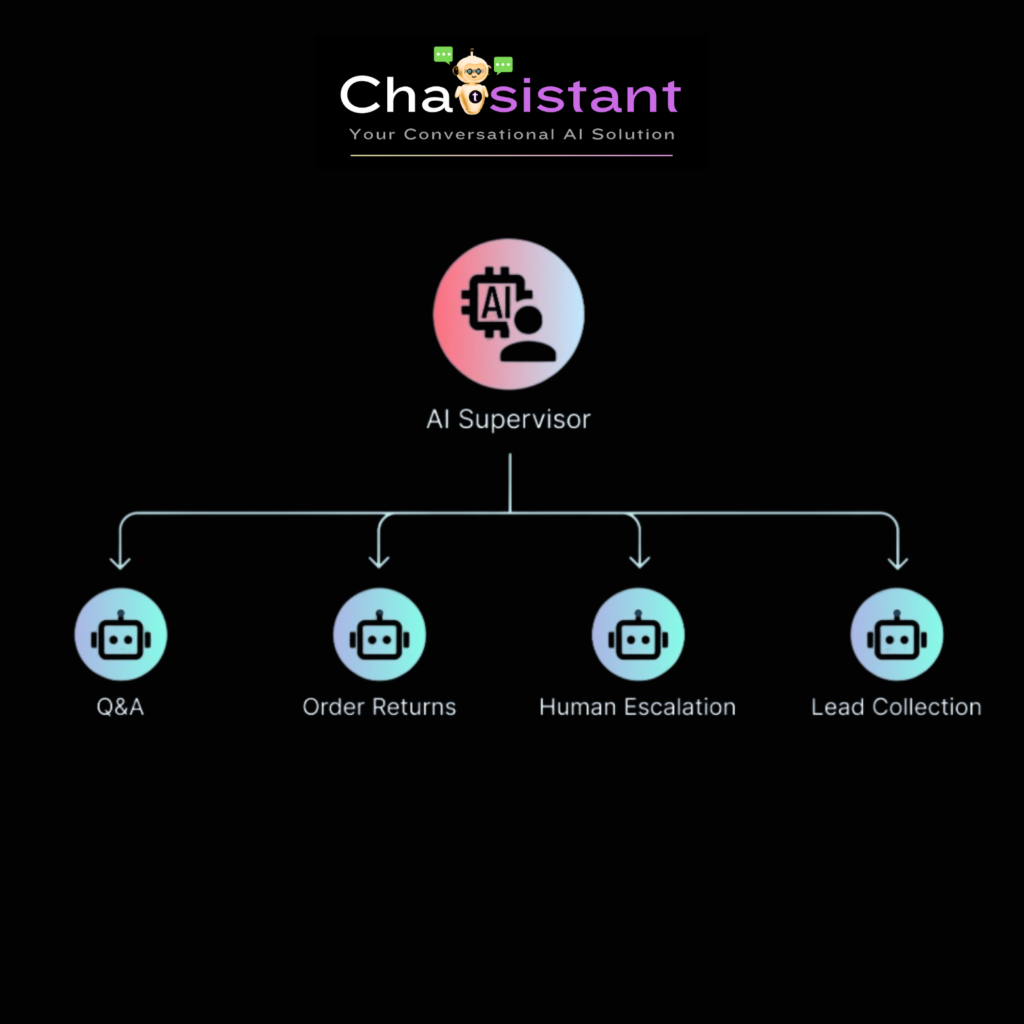
Experience the first and most powerful LLM-native framework for building conversational Al solutions. Skip the tedious process and inflexible behavior of traditional chatbot platforms like Botpress and Voiceflow. Chatsistant allows you to create Al Agents that are trained specifically to handle certain tasks. Our Al supervisor monitors the conversation state in real-time and decides which Al Agent is most suited to handle the current user query.

Function Calling

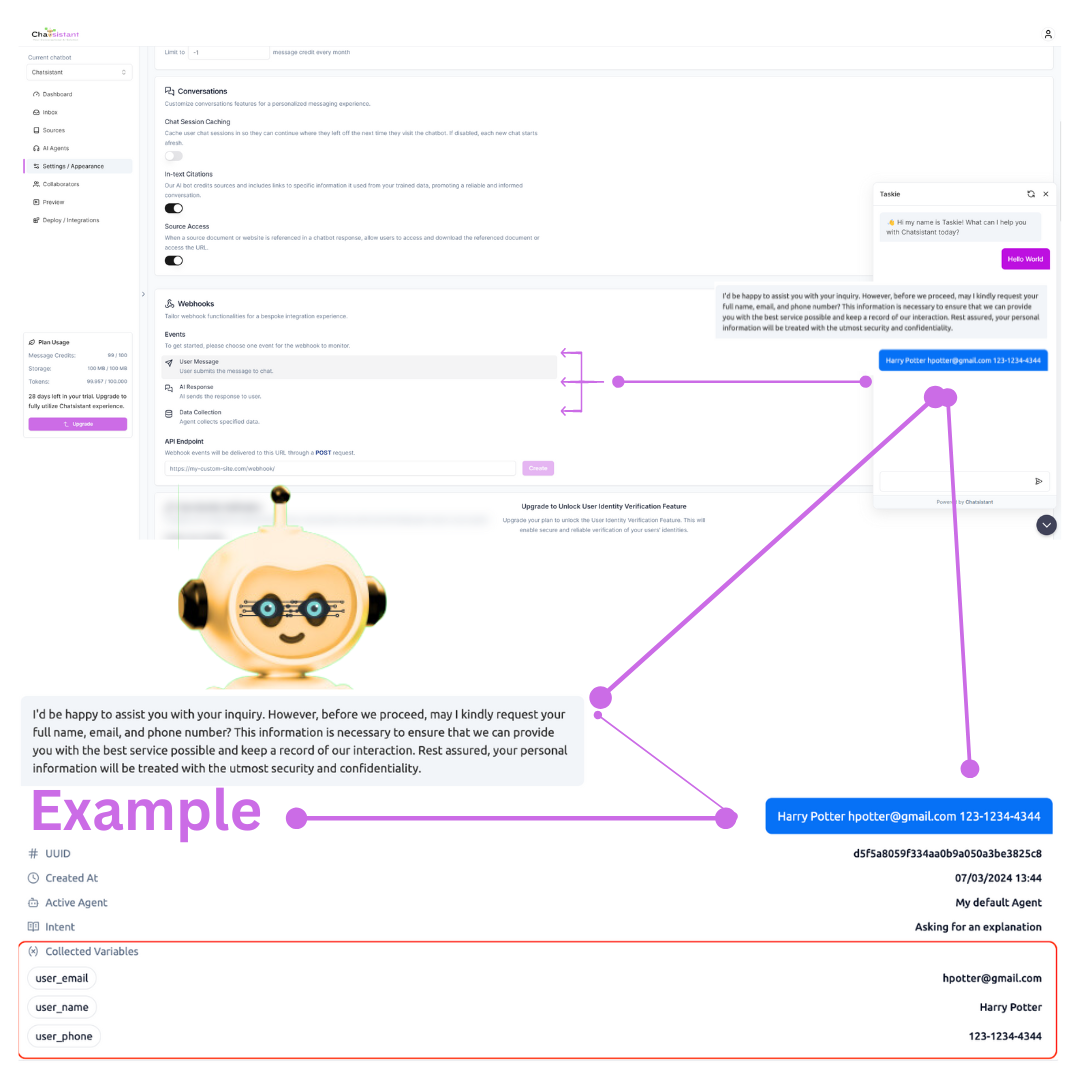
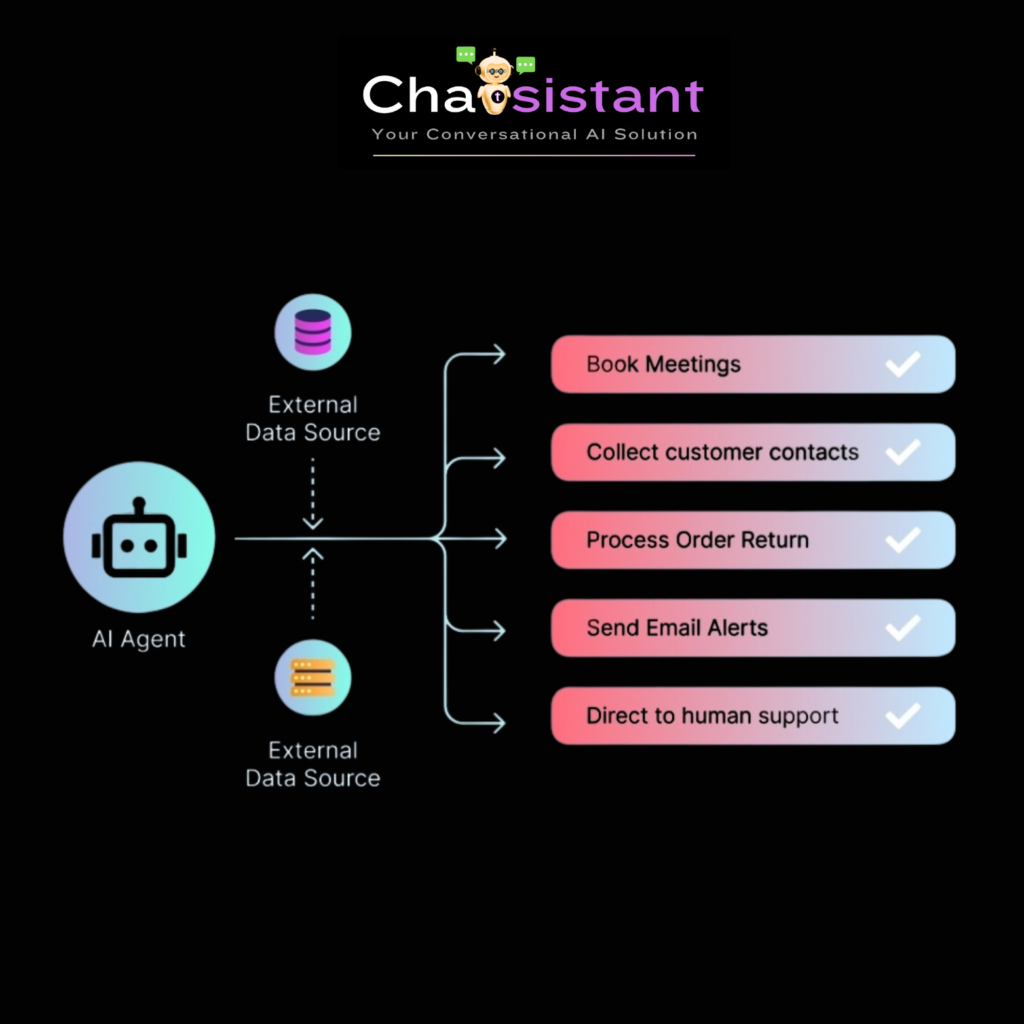
More than just answering questions, Chatsistant’s AI Agents can use custom tools to take actions and access externally-hosted data sources in real-time via webhooks. Build AI chatbots that can book meetings, process order returns, collect customer contacts, send email alerts, or intelligently redirect to human support agents when needed. Join our community of chatbot developers and learn the best practices of writing your own custom functions to support your AI Agent operations..

Chunk Curation

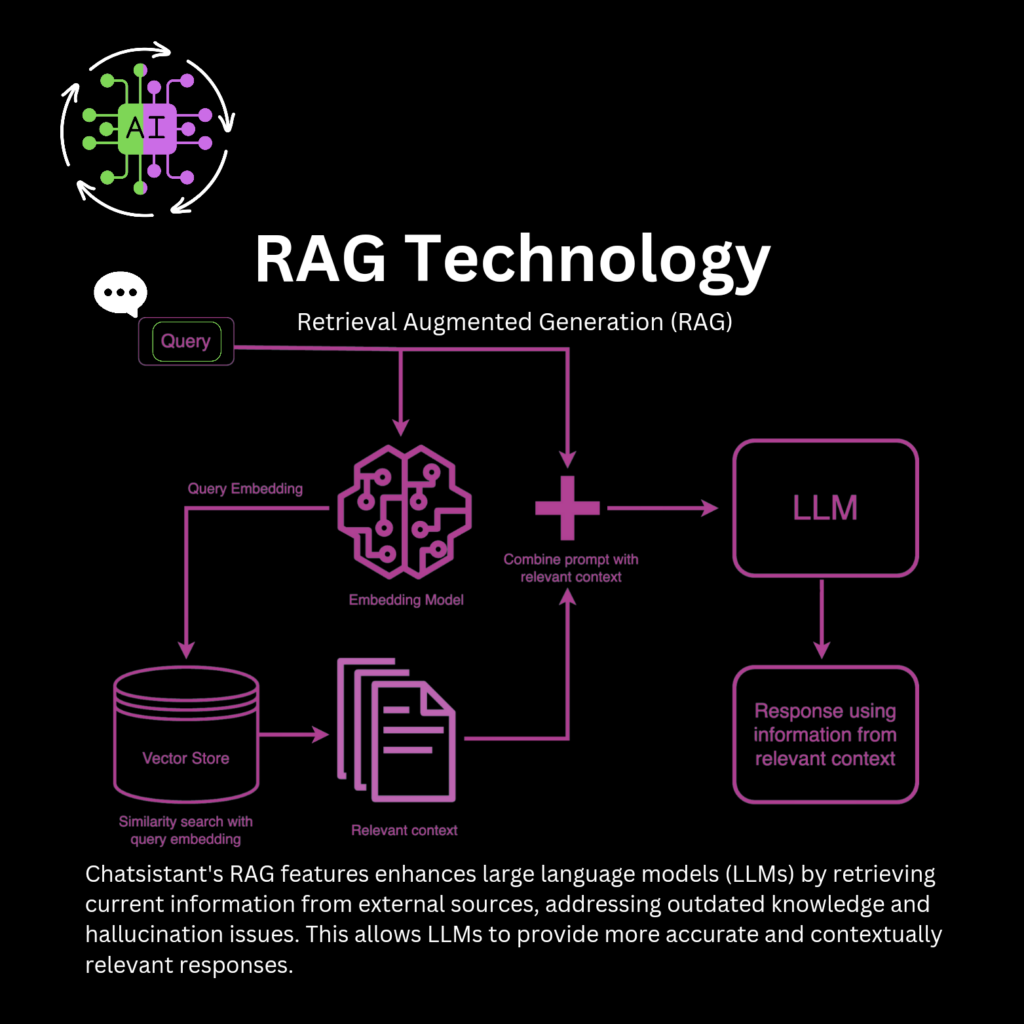
Chatsistant uses Retrieval Augmented Generation (RAG) technology. Our built-in suite of AI-assisted debugging tools enable you to review, curate, clean, and enrich the training data after initial extraction is completed. Identify knowledge gaps and fine tune unsatisfactory answers so your chatbot continuously improves. Our human-in-the-loop approach to context refining allows for a significant upgrade in retrieval accuracy and reduction in hallucinations, so you can trust the AI to represent your brand and voice faithfully.

LLM-Powered smart AI chatbot for your business

Our intuitive platform allows you to set up custom lead collection forms, ensuring you can track all interactions and follow up as needed. Seamlessly integrated into your workflow, our Lead Management System provides comprehensive insights and analytics to optimize your lead generation efforts. Stay ahead of the competition and maximize your business potential with ease.

Core Features

Run your business
with LLM-Powered smart agents

Cover all customer journey
touchpoints automatically

Our AI Chatbot solution offers seamless integrations to cover all touchpoints of the customer journey, while also providing features like agent take-over and customizable rules, ensuring a smooth transition between automated and human-assisted interactions for personalized customer support.

Support

Better responses. Fewer tickets. Happier customers.

  • Instant engagement with automated answers
  • Seamless assistance with agent takeover
  • Consistent support via rule-based flows
  • Streamlined processes with integrations

Marketing

Capture leads and personalize engagement at scale.

  • Tailored engagement with recommendations
  • Lead capture and lead generation
  • Campaign promotion and follow-ups
  • Feedback collection & insights

Sales

Qualify prospects and assist checkout automatically.

  • Lead qualification and identification
  • Product info and education
  • Upsell & cross-sell recommendations
  • Cart assistance and checkout support

Get more value from
your favorite tools

โšก Integrations โ€ข MCP + API + Webhooks

Seamless Integrations for Effortless Automation

๐Ÿ“ข Chatsistant now includes a first-party Native MCP bridge for supported AI clients, alongside verified automation and integration partners.

โšก First-Party MCP
Chatsistant's own remote MCP bridge connects supported AI clients directly to authorized Chatsistant resources. ChatGPT is our first live, tested client. Claude and additional compatible clients will be added here as they are validated.
Live first ChatGPT โ†” connect.chatsistant.com โ†” authorized Chatsistant resources
Access Choose Read Only or Read + Write permissions for supported resources and actions
Control Supported write actions can require an exact preview and explicit approval before execution
Compatibility ChatGPT is verified first. Claude and more compatible AI clients are next as we test and release them
FIRST-PARTY REMOTE MCP
ChatGPT
ChatGPT
โ†’
MCP
Native MCP
โ†’
Chatsistant
Chatsistant
connect.chatsistant.com
โœ“ ChatGPT Live Claude Next More as Tested

Ask in your AI client. Chatsistant exposes only the tools and resources you authorized.

ChatGPT
ChatGPT
Native MCP
Native MCP
AuthorizedChatsistant
Chatsistant
Read / Write
Permission scope
Approved Action
Approved action

Ask naturally. Chatsistant handles the authorized work. โœจ

See Native MCP
Our official verified partners natively integrated include:

More Integrations & Capabilities

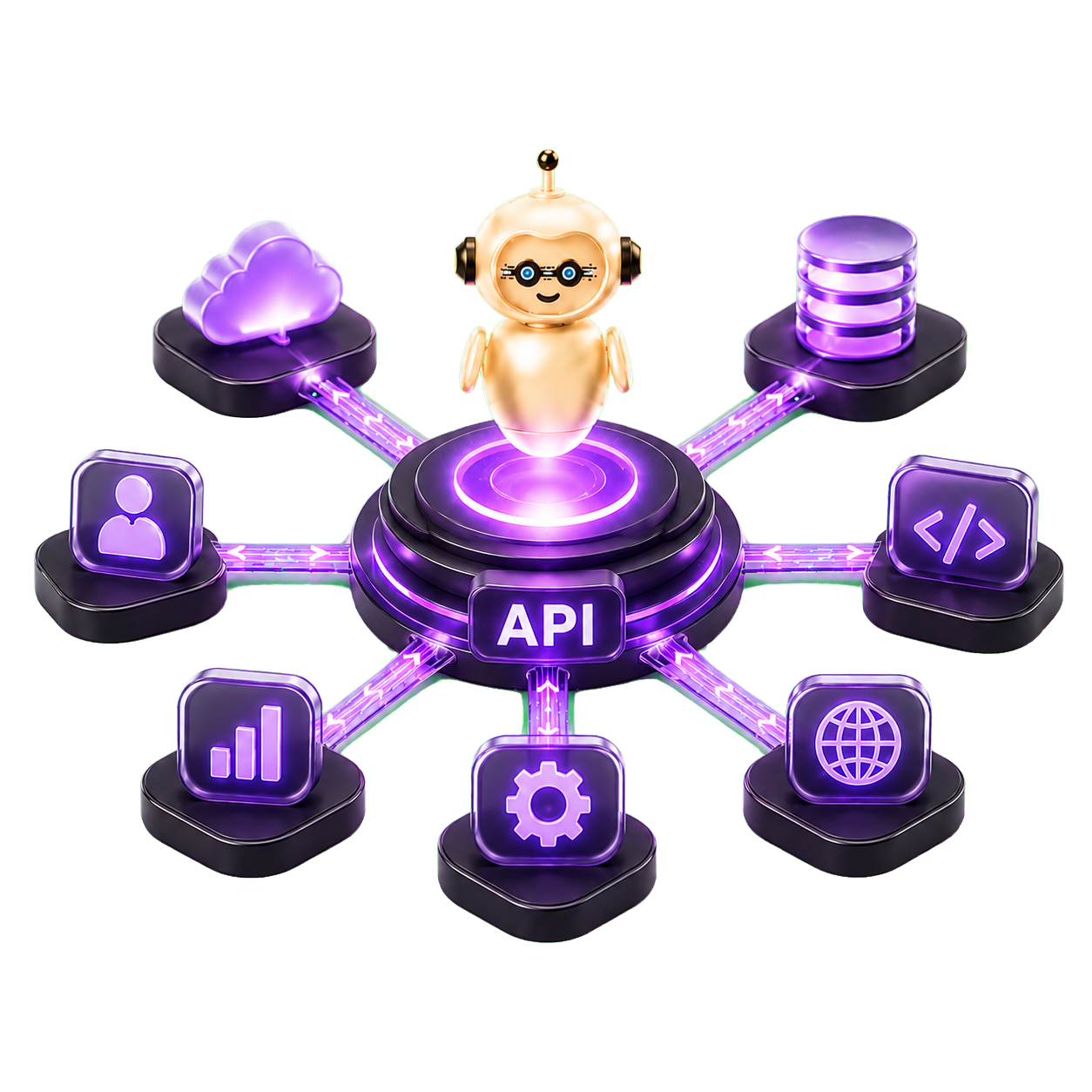
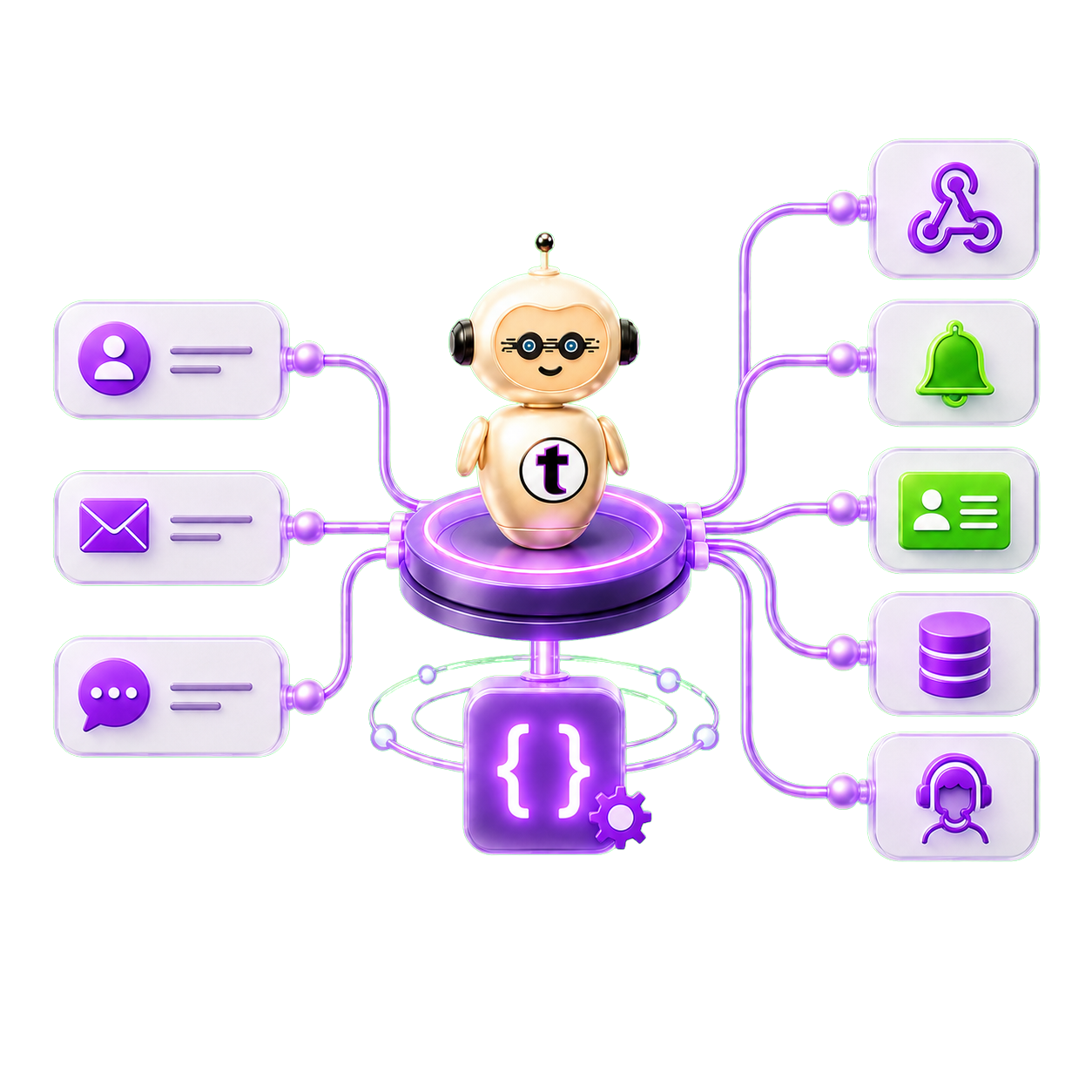
Function Calling lets each agent take action. APIs connect Chatsistant to your systems. Webhooks and Variables move conversation data into your workflows.

๐Ÿค– โž• โœจ โš™๏ธ ๐Ÿ’ป ๐ŸŸฐ ๐Ÿค‘

Omnichannel Integrations

Enhance your AI chatbot with new features, workflows, and
automations through plug-and-play integrations.

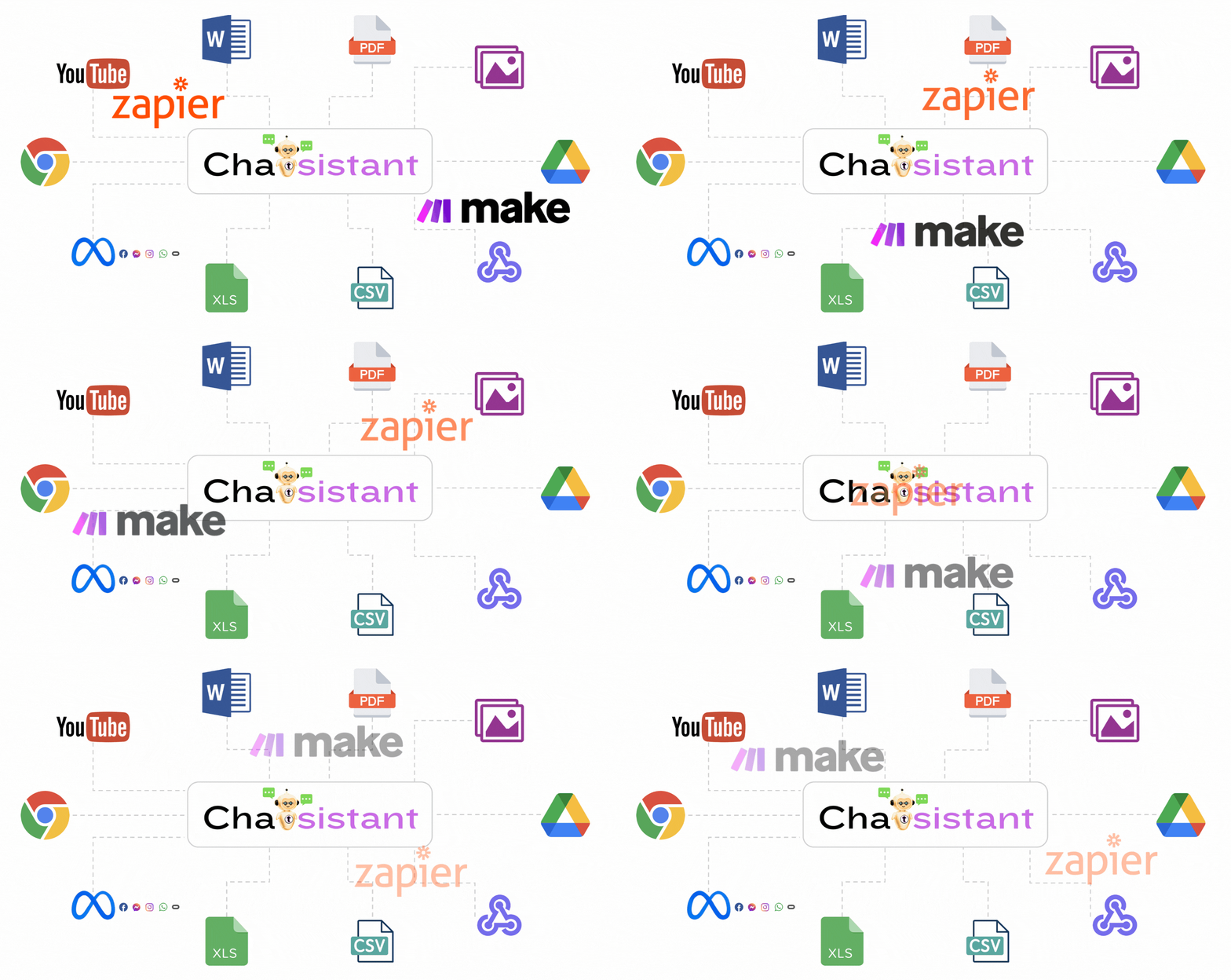
Chatsistant Zapier, Make, Meta, Webhook integrations
Easily deploy, embed, integrate, connect, or share โ€” or do it all.

Need a custom integration? Let us know

Frequently Asked Questions ๐Ÿ™‹๐Ÿผโ€โ™€๏ธ

Got questions? Weโ€™ve got answers! Dive into our FAQ section for quick, clear responses to all your queries about Chatsistant, from features to usage tips.

Chatsistant is revolutionizing AI-powered conversations with a cutting-edge, customizable chatbot framework. Built on advanced LLMs and RAG technology, our platform empowers businesses to automate interactions, enhance customer engagement, and streamline workflowsโ€”all without coding. With seamless integrations, smart automation, multi-agent capabilities, and first-party Model Context Protocol (MCP) connectivity for supported AI clients, Chatsistant connects conversations, knowledge, tools, and approved actions in one flexible framework. Join us in shaping the future of AI-driven communication!

Yes! Chatsistant offers a free forever plan called Launch Free for basic AI chatbot needs. Simply register for a free account, which starts your 30-day free trial with no credit card required so you can test the platform before choosing the best plan.

During or after the trial, go to your subscription page to move into the free forever plan or upgrade into a paid plan. Make sure you are logged in, then use the account dropdown to access your subscription and plan options.

Since Launch Free is still a subscription tier, checkout may ask for payment details depending on the plan flow, but the Launch Free plan itself remains $0/month.

Whatโ€™s Included in Launch Free?

  • Default lightweight model access through GPT-5.4 Mini 16K. Launch Free supports up to a 16,000-token LLM context window. Users who subscribe to a higher plan after the trial can access larger context limits according to that plan.
  • 1 chatbot, 1 agent, and source training for basic RAG workflows
  • Monthly free message credits for testing and lightweight usage
  • BYOK support where enabled, so supported users can connect their own provider API keys instead of only using Chatsistant message credits

Plan features, message credits, BYOK access, and model availability may vary over time, so the pricing page is always the best place to confirm current limits.

We are a Software-as-a-Service. This means that our app, along with data you upload to us, resides online. We use Amazon Web Services (AWS) for hosting and computation, and our servers are securely located in Oregon, United States.

We adhere to industry best practices for our infrastructure, especially for our core product, chatsistant.com. If you want to know more about our infrastructure, please read our Terms & Conditions or feel free to ask us directly!

Yes. Chatsistant supports multilingual chatbot workflows through modern LLM providers such as OpenAI, Google Gemini, Anthropic Claude, DeepSeek, Groq-powered model options, and backend utility support where enabled.

Language quality depends on the selected model, source quality, prompt setup, and workflow design. For business sites with separate language pages, we often recommend separate chatbots or carefully configured language-specific agents so the experience stays clean and accurate.

We support most text document formats (.pdf, .docx, .txt, .md, .tex, .csv, .xlsx, .xls). You can also provide a URL for automatic scraping of text content (this is not automatically updated on target website refresh), or input your own text directly.

GPT-5.4 Mini 16K is the current default model for newly created Chatsistant chatbots. It was selected as a strong middle ground for responsive conversations, reliable general reasoning, RAG-powered support, and efficient credit usage.

  • Default setting: GPT-5.4 Mini with a 16,000-token context window for newly created chatbots.
  • Plan context limits: Launch Free supports up to 16K. Essential ($10/month) supports up to 64K. Higher plans provide larger plan-specific context limits where supported.
  • Why it works well: It keeps live conversations responsive while supporting customer service, sales, intake, routing, multilingual conversations, source retrieval, and general multi-agent workflows.
  • More context when needed: Builders can use larger-context configurations according to their plan. Essential supports up to 64K, while higher plans can provide still larger limits where supported.
  • Model flexibility: Depending on plan access and enabled features, builders can also choose premium or specialized GPT-5.x, Gemini, Claude, DeepSeek, Groq-powered, or backend utility options where supported.
  • Free trial: Every new member starts with a 30-day free trial, no credit card required, with access to the full Chatsistant LLM suite and up to 128K context for testing. After the trial, the plan the user subscribes to determines which models and maximum context sizes are available.

Chatsistant supports a flexible model and provider ecosystem across OpenAI, Google Gemini, Anthropic Claude, DeepSeek, Groq-powered options, and backend Mistral utility support where enabled. You can track active framework updates on our LLM Hub Page.

Chatsistant is not limited to one public chat interface or one model family. Different agents can be assigned different model paths depending on the job, plan permissions, provider access, context needs, function-calling requirements, source workflows, and cost strategy.

OpenAI Models:

  • GPT-5.4 Mini 16K: Current default for newly created Chatsistant chatbots, balancing speed, response quality, RAG support, and credit efficiency for everyday agent workflows.
  • GPT-5.6-Sol, GPT-5.6-Terra, and GPT-5.6-Luna: Current GPT-5.6 families for premium reasoning, advanced workflows, large-context RAG, fast automation, and flexible credit-cost strategy across high-end and efficient model paths.
  • GPT-5.5: Premium GPT family in Chatsistant for advanced reasoning, high-quality responses, enterprise workflows, large-context RAG, and complex multi-agent automation.
  • GPT-5.4, GPT-5.4 Mini, GPT-5.4 Nano: GPT-5.4 generation models for premium reasoning, fast automation, and cost-efficient scale across standard, mini, and nano variants.
  • GPT-5.2, GPT-5.1, and GPT-5: Advanced GPT model families for strong reasoning, content generation, orchestration, support agents, and scalable assistant workflows.
  • GPT-4.1, GPT-4.1 Mini, GPT-4.1 Nano: Reliable GPT-4.1 family options for high-quality reasoning, cost-effective automation, and larger context workflows.
  • GPT-4o and GPT-4o Mini: Strong multimodal and general-purpose options for fast chat, support, image-related workflows where supported, and everyday AI assistant tasks.
  • GPT-o1, GPT-o3, GPT-o3 Mini, GPT-o4 Mini: Reasoning-focused options for smarter agent behavior, complex tasks, planning, coding, and efficient automation flows.
  • GPT-3.5: Lightweight legacy option for simple, low-cost chatbot flows and basic general-purpose conversations where available.

Google Gemini:

  • Gemini 3.6 Flash and Gemini 3.6 Flash Thinking: Current high-speed Gemini options for fast agent responses, responsive automation, source-aware workflows, and reasoning-enhanced Flash performance.
  • Gemini 3.5 Flash-Lite and Gemini 3.5 Flash-Lite Thinking: Lightweight Gemini options for affordable high-volume chat, larger supported context windows, and cost-efficient automation.
  • Gemini 3.1 Pro and Gemini 3.1 Pro Thinking: Advanced Gemini options for high-end reasoning, long-context analysis, technical workflows, planning, and enterprise-scale AI deployment.
  • Gemini 3 Flash and Gemini 3 Flash Thinking: Fast Gemini models for high-volume chat, responsive automation, real-time support, and reasoning-enhanced Flash workflows.
  • Gemini 3.1 Flash-Lite and Gemini 3.1 Flash-Lite Thinking: Lightweight current-generation Gemini options for affordable, fast workflows with larger supported context windows.
  • Gemini 2.5 Pro, Flash, and Flash-Lite: Stable Gemini options for reasoning, speed, source workflows, multimodal-style workflows, and business automation.

Anthropic Claude:

  • Claude Opus 5: Premium Claude option for high-value reasoning, careful long-form work, advanced analysis, complex workflows, and polished assistant behavior.
  • Claude Sonnet 5: Balanced Claude option for dependable responses, business writing, summaries, support flows, and strong everyday reasoning.
  • Claude Opus 4.8: Premium Claude 4.x option for deep reasoning, source-heavy workflows, professional writing, and advanced analysis.
  • Claude Opus 4.7, Claude Opus 4.6, and Claude Opus 4.5: High-end Claude options for complex analysis, advanced writing, enterprise tasks, and larger strategic workflows.
  • Claude Sonnet 4.6 and Claude Sonnet 4.5: Balanced Claude models for reasoning, business workflows, summarization, analysis, and quality responses.
  • Claude Haiku 4.5: Fast and efficient for lightweight conversations, quick support replies, and scalable automation.

DeepSeek:

  • DeepSeek-V4-Flash: Fast and affordable DeepSeek model family for responsive chatbots, lightweight RAG, customer support flows, and cost-conscious automation.
  • DeepSeek-V4-Flash Thinking: Adds reasoning-focused behavior to the Flash line for structured prompts, technical Q&A, and multi-step logic while keeping credit usage efficient.
  • DeepSeek-V4-Pro: Stronger DeepSeek option for deeper responses, coding support, technical workflows, larger RAG tasks, and more capable agent behavior.
  • DeepSeek-V4-Pro Thinking: Premium DeepSeek reasoning option for advanced logic, long-context analysis, enterprise RAG, technical research, and complex multi-agent workflows.

Groq-Powered Options:

Groq is different from a standalone LLM model family. Groq is a high-speed inference provider that can run supported models through GroqCloud. Inside Chatsistant, Groq-powered options are useful when speed, low latency, intake, routing, and fast agent handoffs matter.

  • GPT OSS 20B: A fast Groq-powered OpenAI GPT-OSS path for lightweight responses, routing, intake, and low-latency workflows where supported.
  • GPT OSS 120B: A stronger Groq-powered OpenAI GPT-OSS path for more capable open-weight reasoning, coding-style workflows, and advanced agent tasks where supported.
  • Qwen3.6 27B: A Groq-powered Qwen path for technical logic, structured responses, automation-friendly workflows, and fast support where supported.
  • Groq BYOK: Groq BYOK support is now available where enabled, so supported users can connect their own Groq API key through the BYOK / Add AI API Key flow.

Mistral Utility Support:

  • Backend utility workflows: Mistral can support behind-the-scenes processing such as source cleanup, classification, summaries, file organization, metadata-style extraction, and cost-conscious preprocessing where enabled.

Model Availability Notes:

  • Chatsistant updates model access as providers release newer, faster, safer, or more capable options.
  • If a model no longer appears in the live model selector, it should be considered unavailable for new chatbot or agent configurations.
  • Older names may still appear in past changelog posts, screenshots, tutorials, or documentation for historical context.
  • For the most current supported model list, always check the pricing page, model selector, or LLM Hub.

Chatsistant Native MCP is Chatsistant's first-party Model Context Protocol connection layer. It is designed to let supported AI clients connect directly to authorized Chatsistant resources through Chatsistant-controlled connection infrastructure.

The native connection is hosted through connect.chatsistant.com and is separate from third-party MCP or automation providers. It gives supported AI clients a secure, permission-based way to inspect authorized Chatsistant information and, where enabled, perform supported actions.

Yes. ChatGPT is the first supported and tested AI client for Chatsistant Native MCP. The connection allows ChatGPT to work with the Chatsistant resources you authorize through the connection flow.

Additional compatible AI clients will be added as we complete testing and release support for them. Claude is one of the clients planned next, but compatibility is announced only after the connection and authorization flow has been verified.

Read Only lets a supported connected AI client inspect and analyze authorized Chatsistant information without changing it.

Read + Write makes supported modification tools available within the permissions you grant. Depending on the action and connected client, a write can still require a preview, confirmation, or explicit approval before it executes.

Enabling Read + Write access does not mean every future change is automatically approved. You remain in control of supported actions that require confirmation.

No. Chatsistant Native MCP is the first-party connection layer built for supported AI clients to connect directly with authorized Chatsistant resources.

viaSocket is a separate third-party MCP and automation platform that can help connect Chatsistant with a broader ecosystem of external apps and workflows. Both can be useful, but they serve different purposes.

Groq is not a single standalone LLM model family like GPT, Claude, Gemini, DeepSeek, Llama, or Qwen. Groq is best understood as a high-speed AI inference provider. GroqCloud can run supported models on Groqโ€™s fast infrastructure, while the model itself provides the reasoning, writing, coding, or conversation intelligence.

Inside Chatsistant, current Groq-powered options include GPT OSS 20B, GPT OSS 120B, and Qwen3.6 27B. These paths are best positioned for fast live chat, intake flows, support routing, lead qualification, lightweight automation, and multi-agent handoffs.

Groq BYOK support is now available where enabled. Supported users can connect their own Groq API key through the BYOK / Add AI API Key flow. Availability may depend on plan permissions, provider configuration, supported model access, and active account settings.

Chatsistant can track citation counts continuously in the background when citation tracking is enabled. Builders can filter by date range to see how many times sources were cited during a selected period.

Citation counts depend on the LLM explicitly generating a citation. If a response does not cite a source, that source will not be counted for that response.

If citation tracking or inline citations were turned off in older sessions, those older sessions may not include counts. Future sessions should track normally when citation tracking is enabled.

GoHighLevel (GHL) includes strong built-in AI actions for updating contacts, tags, pipelines, tasks, sending messages, and booking appointments. However, GHLโ€™s agents operate individually and follow predefined workflow logic. They cannot collaborate, share context, or delegate tasks.

Chatsistant is a dedicated AI automation framework built for true multi-agent intelligence. Chatsistant supports an AI Supervisor, autonomous task delegation, agent-to-agent communication, dynamic reasoning, RAG retrieval, and cross-platform function calling across any CRM or systemโ€”not just GHL.

For help, visit our Chatsistant Support & Contact page. You can also email us at su*****@*********nt.com or review our Terms of Service and Privacy Policy.

- Chatsistant Team

Privacy ๐Ÿ”

Protecting your data matters. Chatsistant is designed for secure, permission-restricted automation and privacy-conscious operations. Our public Privacy Policy, Terms, and Security page explain the limited categories of data we collect, how we use approved providers and integrations, how international transfers may work, and how enterprise implementations can keep approved customer systems as the primary system of record for sensitive or regulated workflows.

We use limited categories of data to provide, operate, maintain, secure, support, and improve our services. That can include account administration, authentication, abuse prevention, support, onboarding, configured automations, analytics where permitted, and communications related to your account or our services.

Exact handling depends on your configuration, approved integrations, applicable law, and any enterprise or data processing agreement that applies to your setup.

If you authorize a supported third-party AI client through Chatsistant Native MCP, authorized data may be transmitted to that connected client according to the permissions and scope you grant. The connected provider's own privacy policy, settings, and data-handling terms may also apply to data processed through that client.

Chatsistant is designed for secure, permission-restricted automation. Connections to the platform and approved integrations use HTTPS/TLS to help protect data in transit. We support security-conscious deployment architectures with documented boundaries, controlled endpoints, approved fields, scoped permissions, and restricted workflow actions.

Depending on the use case, integrations can be built using secure APIs, webhooks, and/or MCP actions. For connected AI clients, Chatsistant can support permission-based access such as Read Only and Read + Write. Read Only is intended for inspection and analysis without changing authorized Chatsistant data. Read + Write makes supported modification tools available within the permissions granted, and supported write actions may still require preview, confirmation, or explicit approval before execution.
For enterprise opportunities, security and architecture review materials may be available through a formal review process, and an NDA may be required before certain materials are shared.

Chatsistant does not train or fine-tune third-party large language models on your data. For OpenAI specifically, OpenAI states that API Platform data is not used to train models by default.

Because Chatsistant can work with multiple providers and customer-configured integrations, provider-specific data handling may vary depending on which services you use, your configuration, and any applicable provider settings or agreements.

Depending on how you use the platform, data may be processed by approved third-party providers that help us operate, secure, support, market, and improve our services. Examples may include AI model providers, infrastructure providers, automation tools, analytics tools, and integration platforms.

Actual data flows depend on your configuration, approved endpoints, selected integrations, connected AI clients, granted authorization scope, and applicable agreements. When you authorize a supported AI client through Chatsistant Native MCP, data made available through that connection may also be processed by the selected third-party provider according to its own terms, privacy policy, account settings, and retention practices.

Disconnecting or revoking an MCP connection is intended to stop future authorized access through that connection. It does not necessarily delete information that was already transmitted to or retained by a third-party provider before access was revoked.

For enterprise or regulated implementations, customers may choose to architect their setup so their own approved systems remain the primary system of record for sensitive or regulated data.

Chatsistant Native MCP is designed to use permission-based access. You choose what level of supported access to authorize, such as Read Only or Read + Write, and the connected AI client can only use supported Chatsistant tools and resources that are made available within that granted scope.

When a connected AI client receives authorized data, that provider may process the data under its own privacy policy, account settings, and service terms. Because third-party provider settings can vary, you should also review the privacy and data controls of the AI client you choose to connect.

You can disconnect or revoke the Chatsistant connection to stop future authorized access through that connection. Revocation does not necessarily remove data that was already transmitted to the third-party provider before the connection was revoked.

Yes. Chatsistant operates globally and may transfer, store, or process personal data in countries outside of your own country of residence, including the United States and other jurisdictions where our infrastructure providers, subprocessors, and service partners operate.

Where required, we rely on appropriate safeguards for international transfers, such as Standard Contractual Clauses (SCCs), adequacy decisions, and other lawful transfer mechanisms. Customers with specific GDPR, UK GDPR, or other cross-border requirements may request additional documentation and DPA materials by contacting le***@*********nt.com.

Chatsistant is primarily a Software-as-a-Service platform, so your account and configured data operate online. In most cases, you do not need to download separate software to use the core service, although certain optional integrations, APIs, or enterprise workflows may involve third-party tools or setup steps depending on your use case.

Our infrastructure and approved providers may operate across multiple jurisdictions. If you want more detail about data handling, international transfers, or enterprise architecture, please review our Privacy Policy and Security page or contact us directly.

Authorized personnel and approved service providers may access limited data where reasonably necessary to provide, operate, secure, support, troubleshoot, improve, or legally administer the Services. Access is limited by role, operational need, confidentiality obligations, and applicable internal controls.

For enterprise or regulated workflows, data visibility and system boundaries may also be shaped by your deployment design, approved endpoints, and any applicable data processing or enterprise agreement.

Not all platform data is end-to-end encrypted, because many service features require server-side processing in order to function. However, connections to the platform and approved integrations use HTTPS/TLS to help protect data in transit, and access to workflows and connected actions can be limited by scope, approved fields, endpoint restrictions, and configured permissions.

Privacy and data handling are also governed by our Privacy Policy, applicable enterprise or data processing agreements, and our public security information. While we implement technical and organizational measures designed to protect data, no online platform can honestly promise perfect confidentiality or absolute security in all circumstances.

Privacy, legal, DPA, and international transfer questions: le***@*********nt.com

General support: Chatsistant Support & Contact

General questions: he***@*********nt.com

- Chatsistant Team

Your Security Setup & Enterprise Protection ๐Ÿ›ก๏ธ

At a Glance

  • Chatsistant is not intended to be your PHI system of record.
  • For regulated workflows, approved customer systems can remain the primary system of record.
  • Integrations can be built through secure APIs, webhooks, and/or MCP actions with permission-restricted workflows.
  • Enterprise builds may include architecture review, diagrams, documentation, and POC support.

Full security and enterprise details: chatsistant.com/security/

How Chatsistant Works in Regulated Environments

  • Chatsistant is not intended to be your PHI system of record.
  • Implementations should be configured so protected data remains in your compliant CRM or internal systems.
  • Chatsistant handles approved orchestration through secure APIs, webhooks, or MCP actions.
  • You control approved fields, allowed actions, permission scope, and data boundaries.
  • Actual data handling depends on your configuration, workflow design, approved endpoints, and applicable agreements.

Enterprise Review & Documentation

  • Security and architecture materials may be available based on scope, deployment model, and procurement requirements.
  • An NDA or formal review process may be required before certain materials are shared.
  • Scoped enterprise builds may require engineering time, implementation planning, and a proof-of-concept process.

Need help or an enterprise review?
Security & compliance: le***@*********nt.com
General support: Chatsistant Support & Contact
General questions: he***@*********nt.com

Release the Power of AI for Your Business

โœจ Chatsistant Demo โ–ถ 2 videos (player prompts next)

See Chatsistant in Action

Watch the first short video, then your player will prompt the second video right after โ€” showing how the chatbot collects leads and manages interactions.

WHAT YOU'LL SEE
1
Video 1: Learn the value + key concerns.
โ–ถ๏ธ
Click the Play Button! โœจ
2
Video 2: See the chatbot collect leads and manage conversations.
โฏ๏ธ
I'm 2nd but Valuable, Play the Playlist!
Release the Power of AI for Your Business Open โ†—
Chatsistant Library feature screenshot

Chatbot Library

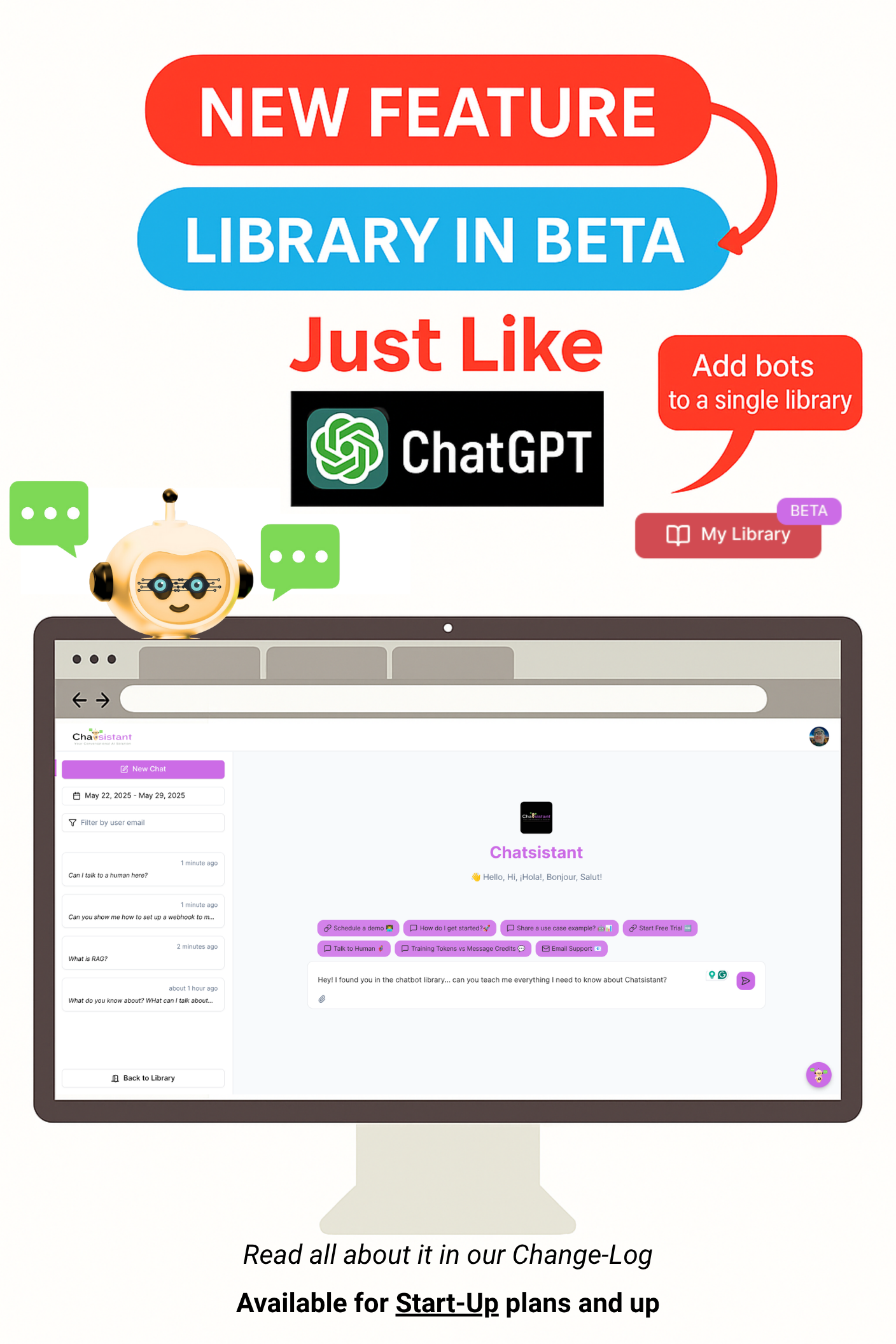
A ChatGPT-style library experience for sharing and organizing bots.

Chatsistant SMS with Ytel

SMS Automation

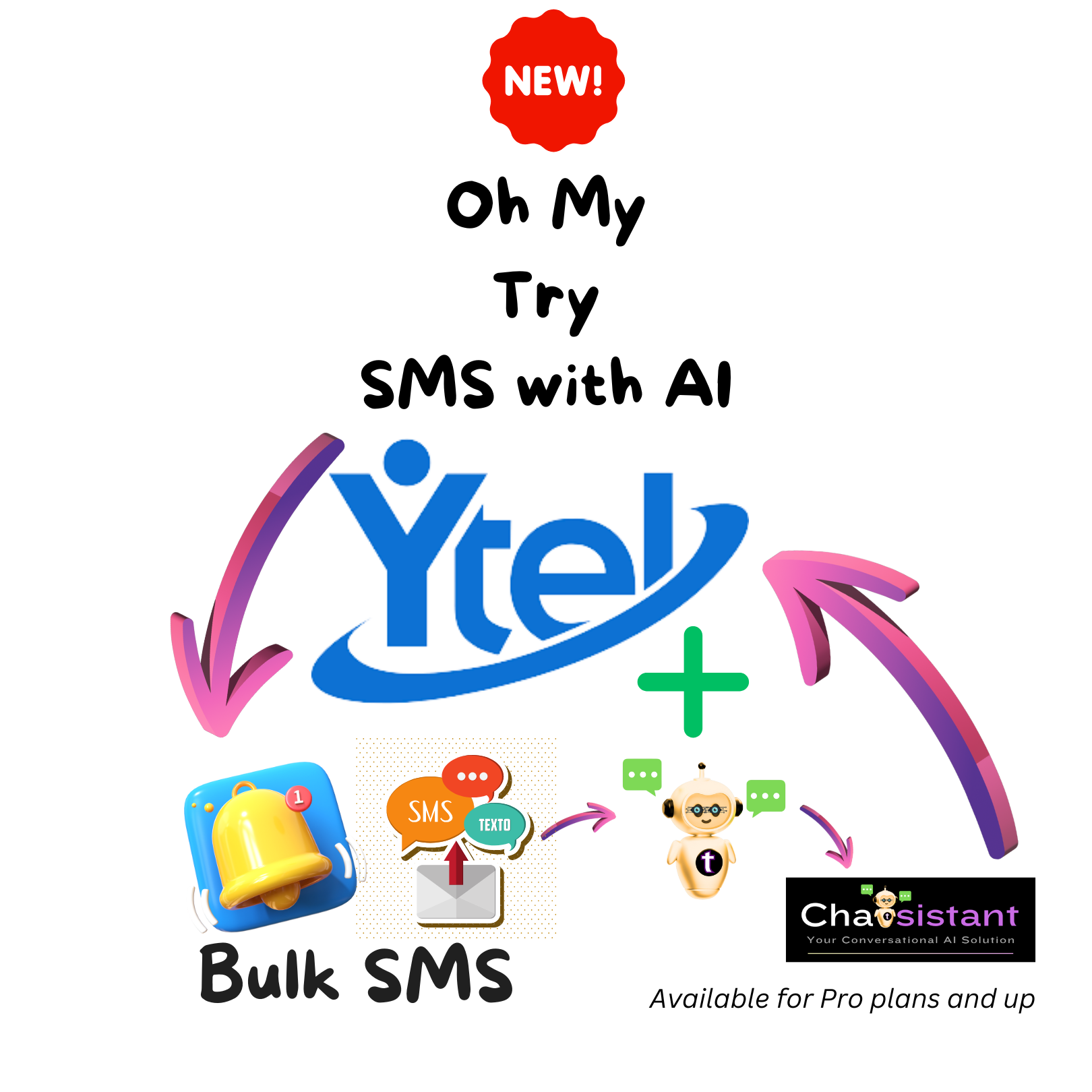
Text customers and automate conversations through SMS.

Chatsistant LLMs animation

Multi-LLM Support

Run OpenAI, Gemini, Claude, and more inside one framework.

โšก Chatsistant โ€ข AI Automation Framework

Build AI That Actually Gets Work Done

Multi-agent chatbots that capture leads, book meetings, and trigger real automations through natural conversation.

Get Started
Book a Demo

Stay Persistent with Chatsistant!

โšก Integrations โ€ข MCP + API + Webhooks

Seamless Integrations for Effortless Automation

๐Ÿ“ข Chatsistant integrates with your favorite tools, empowering effortless automation.

๐Ÿค Featured Partner
MCP & automation with 1,500+ apps including Chatsistant.
Example flow Lead chats โ†’ tag CRM โ†’ notify Slack โ†’ book calendar
MCP layer Chatsistant orchestrates actions across all connected apps via MCP โ€” no code required
E-commerce Abandoned cart โ†’ recover via WhatsApp โ†’ upsell โ†’ Stripe checkout
Support Ticket lands โ†’ AI Agent triages โ†’ escalates to Slack if urgent
viaSocket MCP
Lead Captured
IG
AI AgentsChatsistant
Taskie
Tags CRM
CRM
Notifies Team
Slack
Books Meeting
Calendar

If you build it, Chatsistant will come! โœจ

Start Building
Our official verified partners natively integrated include:

More Integrations

More ways to connect Chatsistant to your stack.

๐Ÿค– โž• โœจ โš™๏ธ ๐Ÿ’ป ๐ŸŸฐ ๐Ÿค‘
๐—–๐—ต๐—ฎ๐˜๐˜€๐—ถ๐˜€๐˜๐—ฎ๐—ป๐˜ App Install for a faster, seamless experience
Saved preference! You can still install this anytime from your mobile browser's menu or share settings.
Enable Notifications OK No thanks